
Contract Definition
Contract Basics
Each contract includes a set of basic fields that define its main structure.
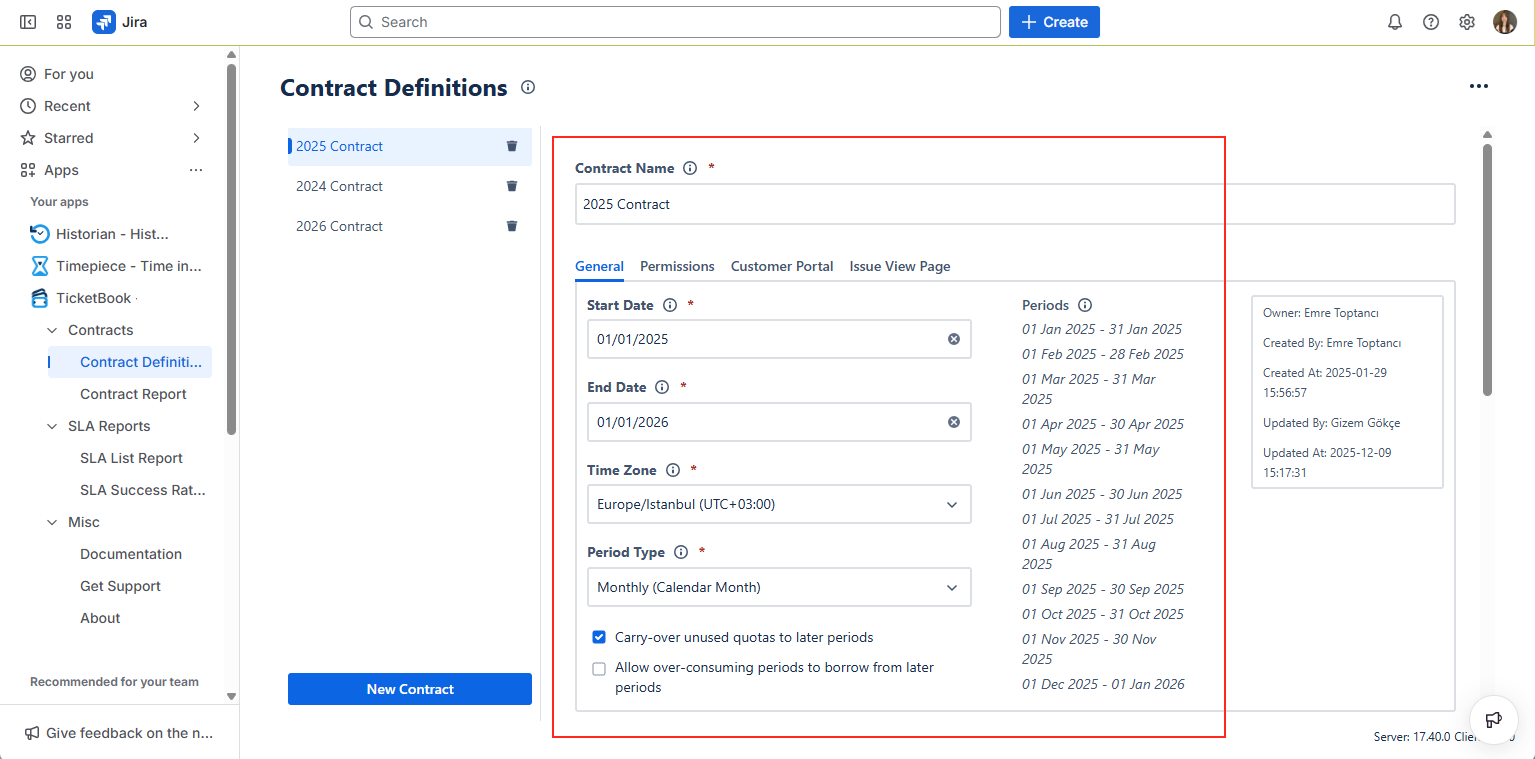
Contract Name
Every contract has a Name, which acts as its primary identifier.
You can enter any name you prefer, and TicketBook will use this name to reference the contract across all related screens.
Dates & Period Type
Each contract includes four key mandatory settings: Start Date, End Date, Time Zone, and Period Type.
The Start Date, End Date, and Time Zone selections define the beginning and end of your contract term.
The duration between your Start Date and End Date will be divided into periods, according to your Period Type selection.
TicketBook supports several Period Type options:
Fixed
The entire duration between the Start Date and End Date is treated as a single continuous period.
Monthly (Calendar Month)
Each calendar month between the contract’s Start and End Dates becomes a separate period.
Periods always begin on the first day of each month.
Monthly (Exact Day)
Each month is treated as a separate period, starting on the same day of each month based on the contract’s Start Date.
Annual (Calendar Year)
Each calendar year is processed as a separate period. New periods always begin on the first of January each year.
Annual (Exact Day)
Each year becomes a separate period, starting on the same day of the year based on your contract start date.
Carry Over & Over Consumption Settings
TicketBook provides two optional settings that control how unused or exceeded quotas are handled during contract period calculations. Both settings are unchecked by default.
These settings directly affect how quota usage and over-consumption are calculated in the Contract Report, ensuring accurate contract tracking based on your selected quota policy.
Carry-over unused quotas to later periods
When enabled, any unused quota from the current period is transferred to the next period.
This allows future periods to benefit from the remaining quota, and the total available quota for upcoming periods is increased accordingly.
Allow over-consuming periods to borrow from later periods
When enabled, periods that exceed their assigned quota can borrow from the quota of upcoming periods.
This allows the system to redistribute quota across periods and calculate over-consumption based on the remaining balance of the entire contract duration.

Contract reports are calculated solely using Jira issues and SLAs on those issues. Since Jira already stores them, you can create contracts and get reports for your past issues as well.