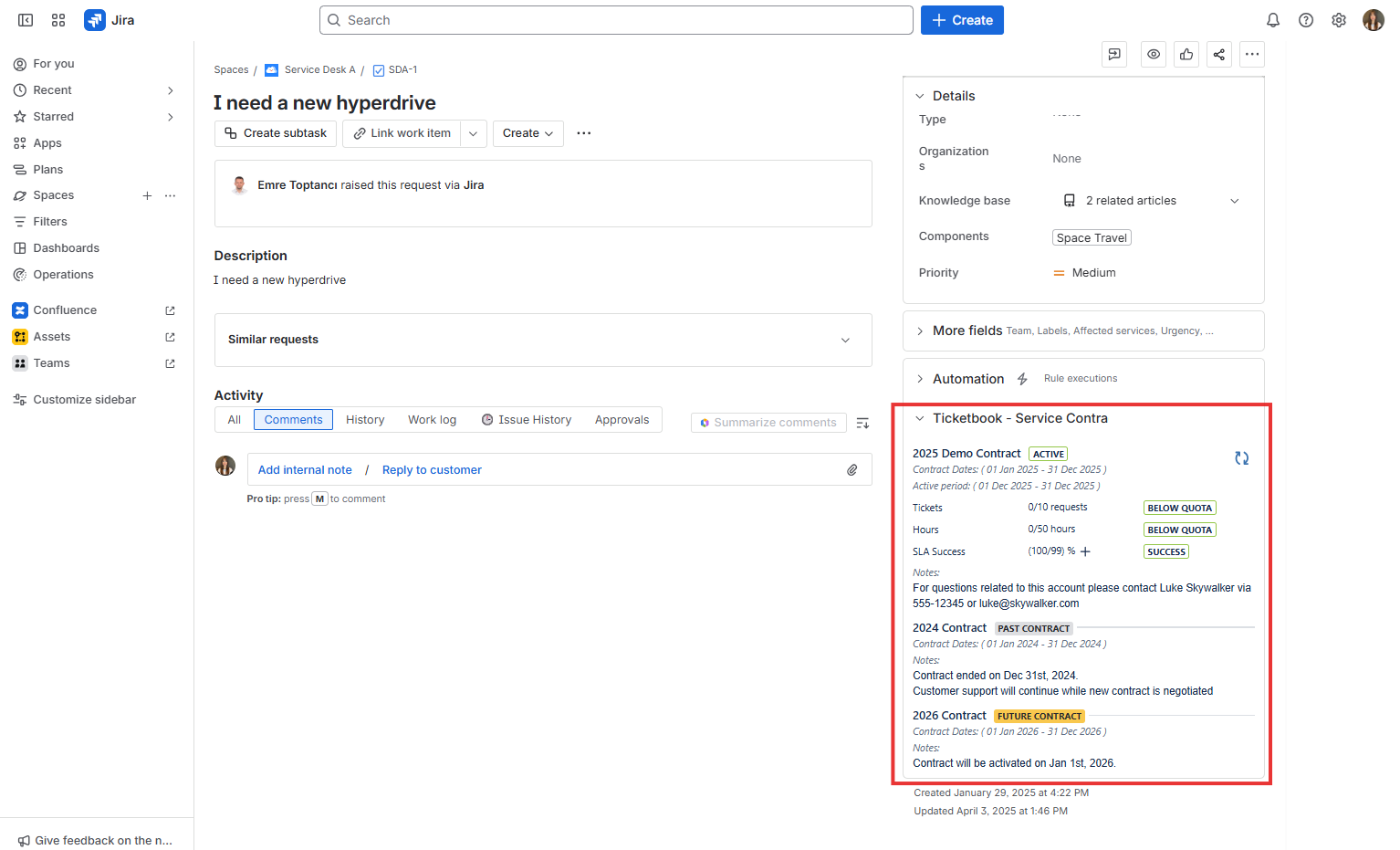
Issue View Page Panel
TicketBook allows you to display the current period summary report of a contract directly on issue view pages for service desk agents.
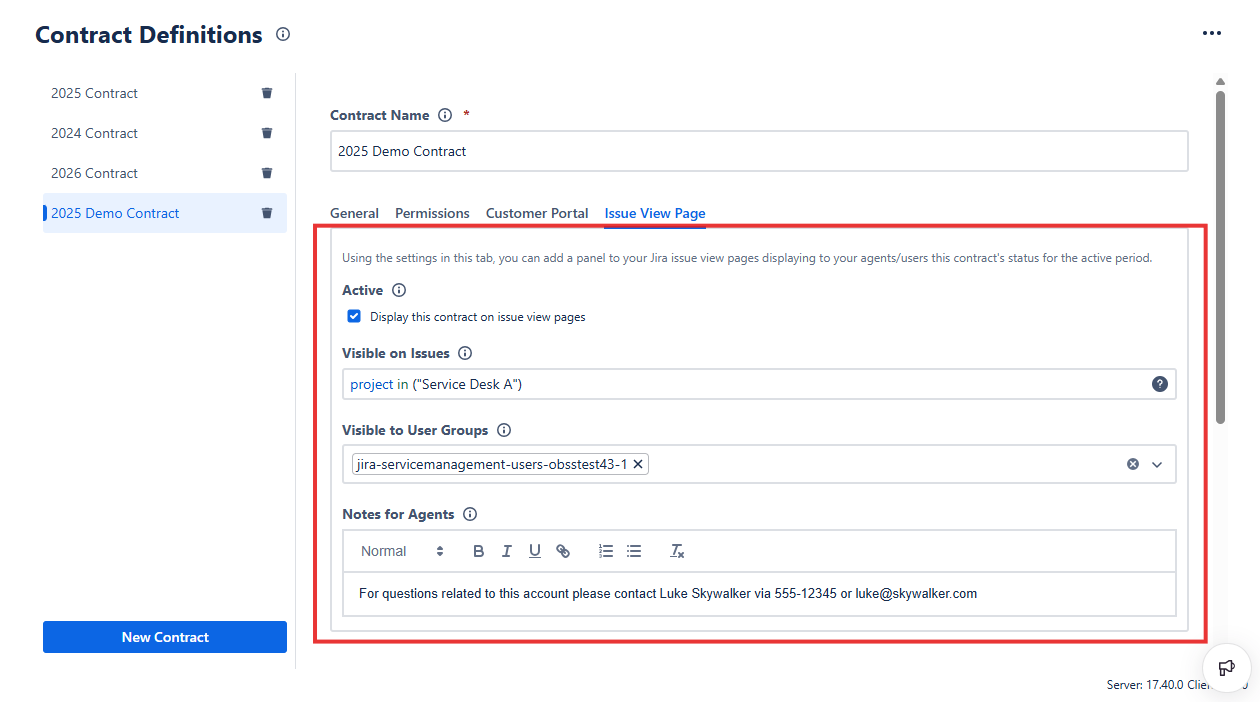
Using the Issue View Page tab, the following settings can be configured:
Enable or Disable the Issue View Page Panel: Decide whether the issue view page panel displaying the contract’s current period report should appear on issue view pages.
Select the Issues: Define which issues on your system will display this contract's information.
Set Visibility by User Groups: Determine which user groups will be able to display the panel.
Add a Note for the agents: Enter an optional text note that will be shown to JSM agents on the Issue View Page panel.
The Panel
When the Issue View Page Panel is enabled for a contract, and an issue matches the panel’s JQL, authorized users will see the contract’s current period summary report in a panel on the right side of the issue view page.