-
Open the "Baselines for Confluence" page in the Apps section of your Confluence space menu.
-
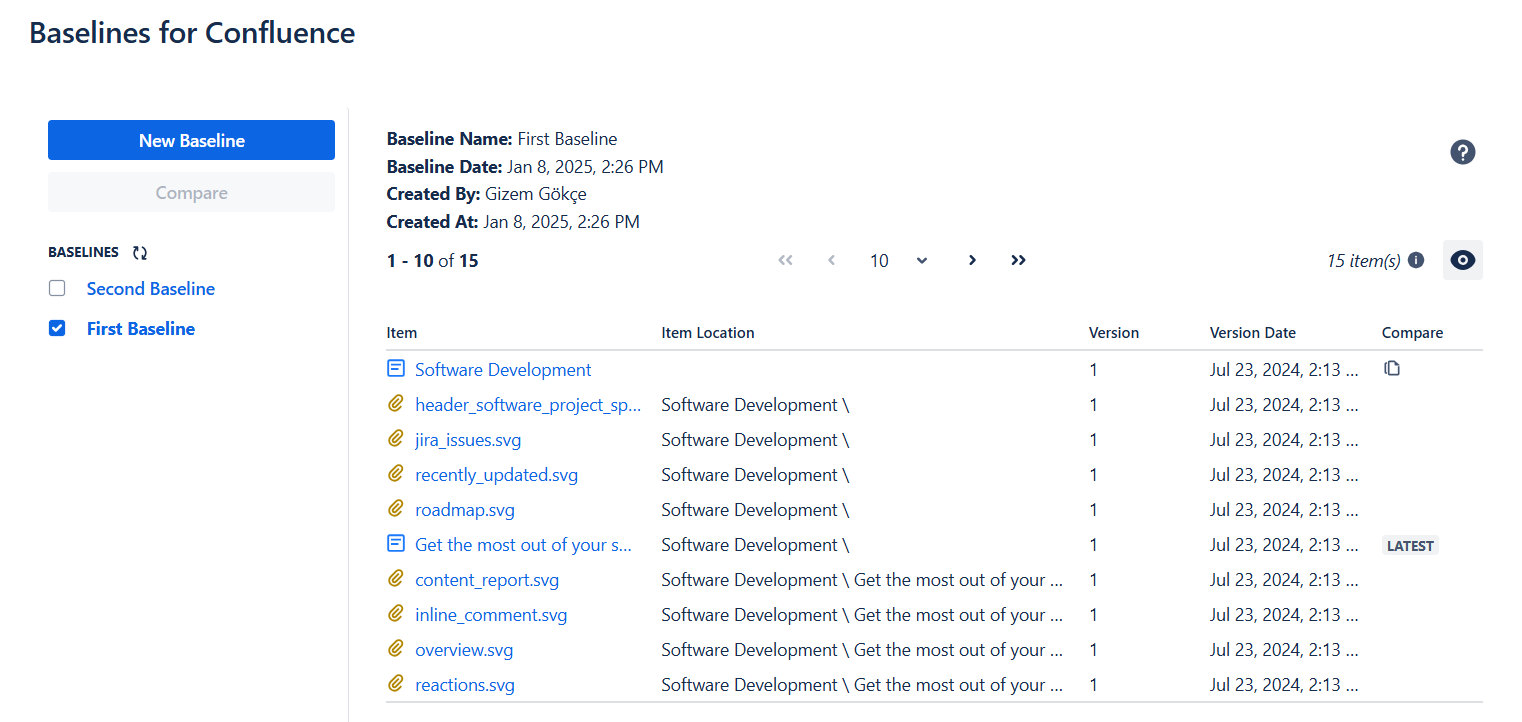
On the left column of the screen you will see the list of existing baselined created for that space.
-
Click on one of the baseline to see the contents on the right.
-
Each row shows an item (page, blog-post or attachment) in the baseline with its
-
Title
-
Type (page, blog-post or attachment)
-
Item location
-
The version of the item included in the baseline
-
The date of the item version
-
Compare with the latest version button (available only for pages and blog-posts)
-
-
You can click on the item title to navigate directly to the item version.