Installation
To install Field Sync, follow these steps:
-
Log in as a user with the JIRA Administrators.
-
Select Add-ons from the Administration menu at the top right of your screen.
You can install the Add-On in two ways: Installing the Add-On from Marketplace or Uploading the Add-On as jar (or obr) file.
Installing the Add-On from Marketplace
-
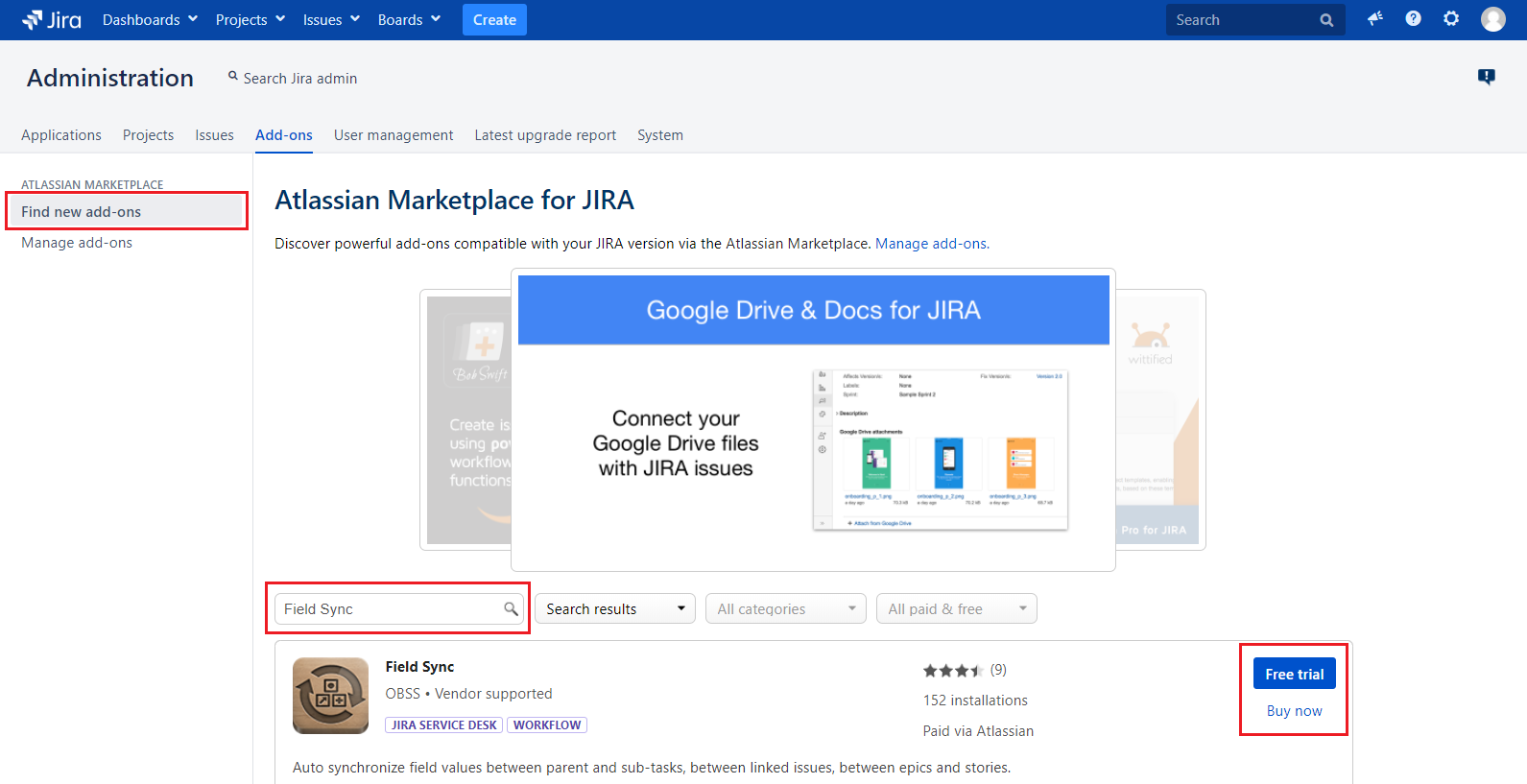
Click the Find New Add-ons link.
-
Enter "Field Sync" in the Search the Marketplace box.
-
To install the add-on, click the Buy Now or Free Trial buttons.
Uploading the Add-On as jar (or obr) file
-
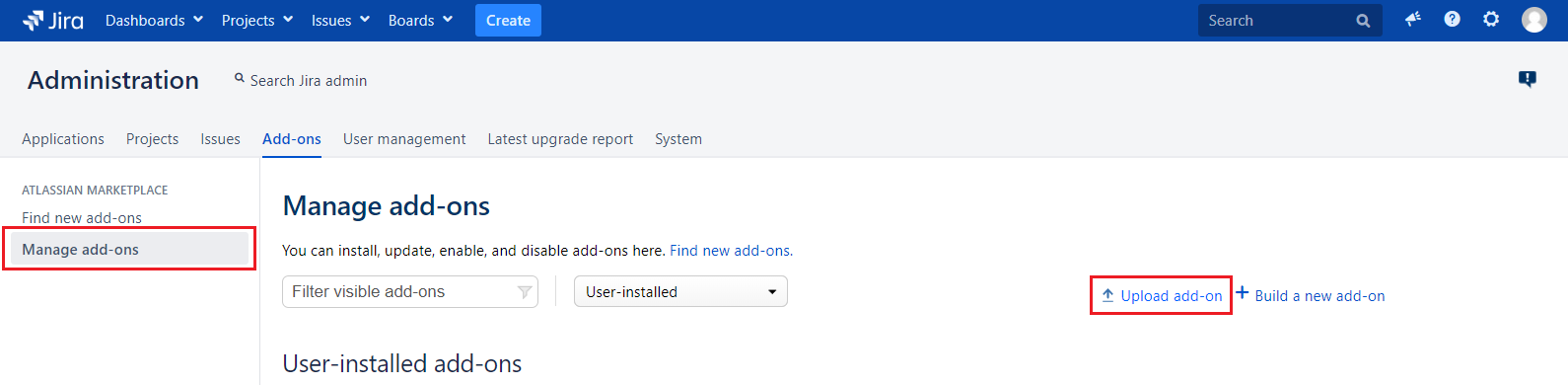
Click the Manage Add-ons link.
-
Click the Upload Add-on link at the top right side of the page.
The 'Upload Add-on' dialog appears. -
Locate the Field Sync plugin.
-
Upload the .jar executable file that you have downloaded from the Atlassian Marketplace.