
Jira Service Management customer portal users can configure delegations for themselves via the customer portal.
Customer portal users are users without Jira or Jira Service Management licenses who access Jira only through the Jira Service Management portal.
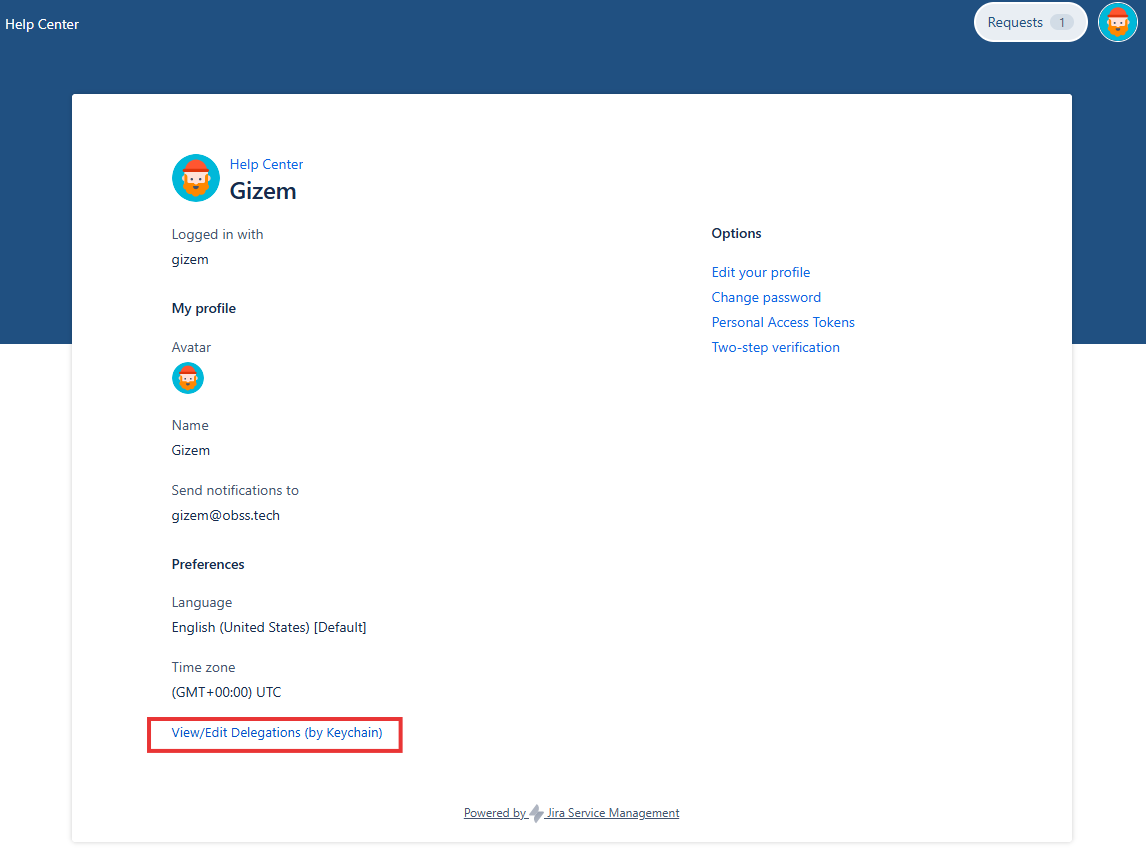
The delegation menu is always visible in the customer portal profile menu. Administrators can control edit access only through Keychain permissions.
Customer portal users must have the Browse Users global permission in Jira.
If this permission is missing, user selection fields will fail and delegation configuration cannot be completed.
To configure delegations from the Jira Service Management customer portal, the user must have the required Keychain delegation permissions.
If the user does not have delegation configuration permissions, the screen is displayed in read-only mode and delegation entries cannot be created or edited.
See Delegation Permissions for details.
Accessing the Delegation Configuration Screen
-
Log in to the Jira Service Management customer portal.
-
Click the profile avatar at the top right corner.
-
Select Profile.
-
Click View/Edit Delegations (by Keychain).
-
The delegation configuration screen opens as a popup.
Delegation Configuration Screen
The pop-up screen is the same delegation configuration screen used for self-delegation.
All rules and behaviors are identical.Delegations defined on this screen affect only Keychain components such as workflow functions, custom fields, and JQL functions.