
The SearchMate Diagnostics page can be found under:
Jira Admin Settings → Marketplace Apps → SearchMate - Advanced JQL Search for Linked Issues → Diagnostics
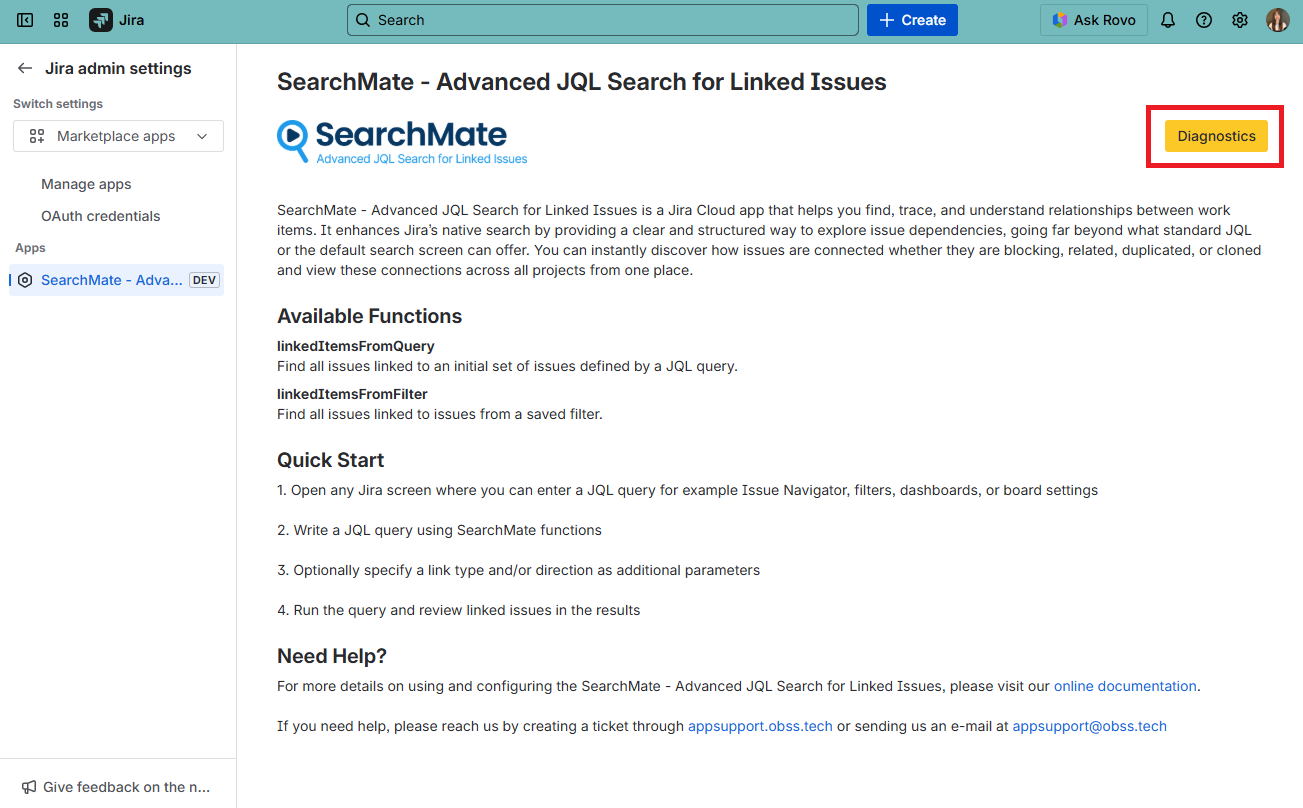
This page acts as a log and diagnostics panel where administrators can review how SearchMate queries are running across the Jira instance. This page explain that Atlassian caches function calls, and that we use this section to list and update those cached entries.
The SearchMate diagnostics page provides a clear overview of SearchMate activity by listing:
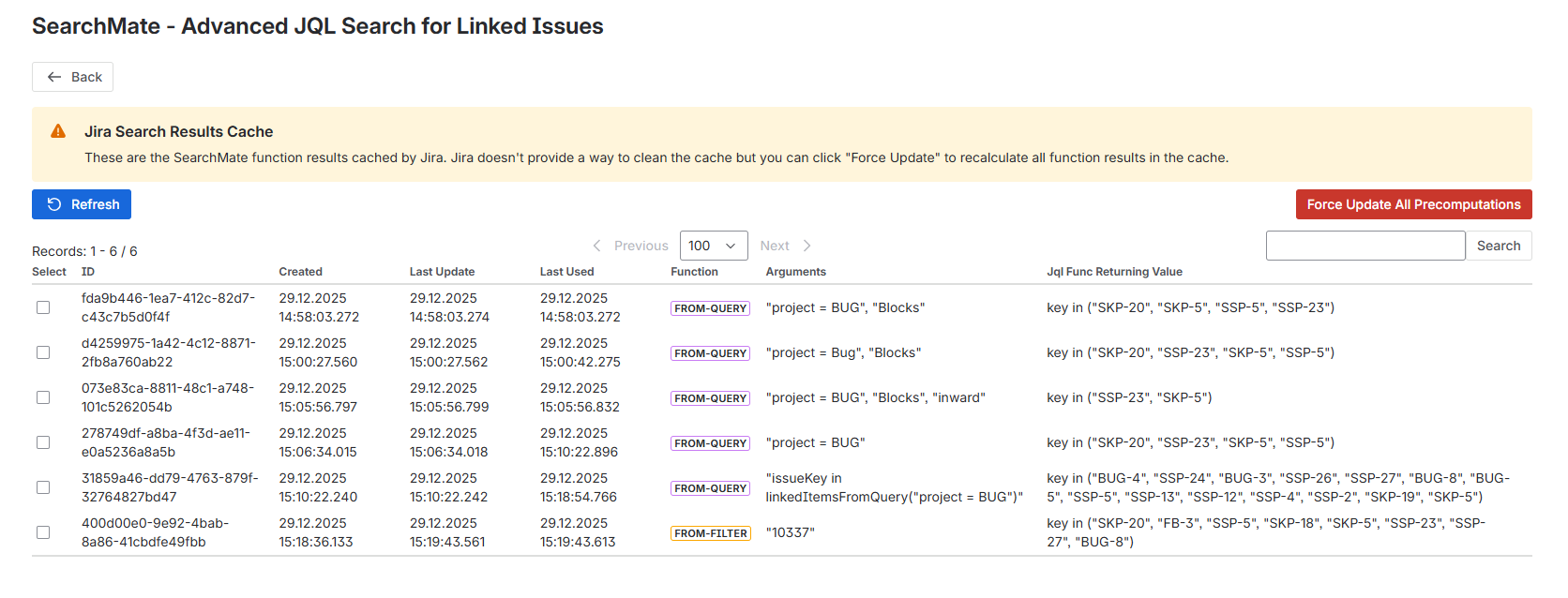
Executed Query Results
This section shows detailed records of SearchMate-powered JQL executions.
Admins can see which linked-issue queries were run, how they performed, and what results they returned.
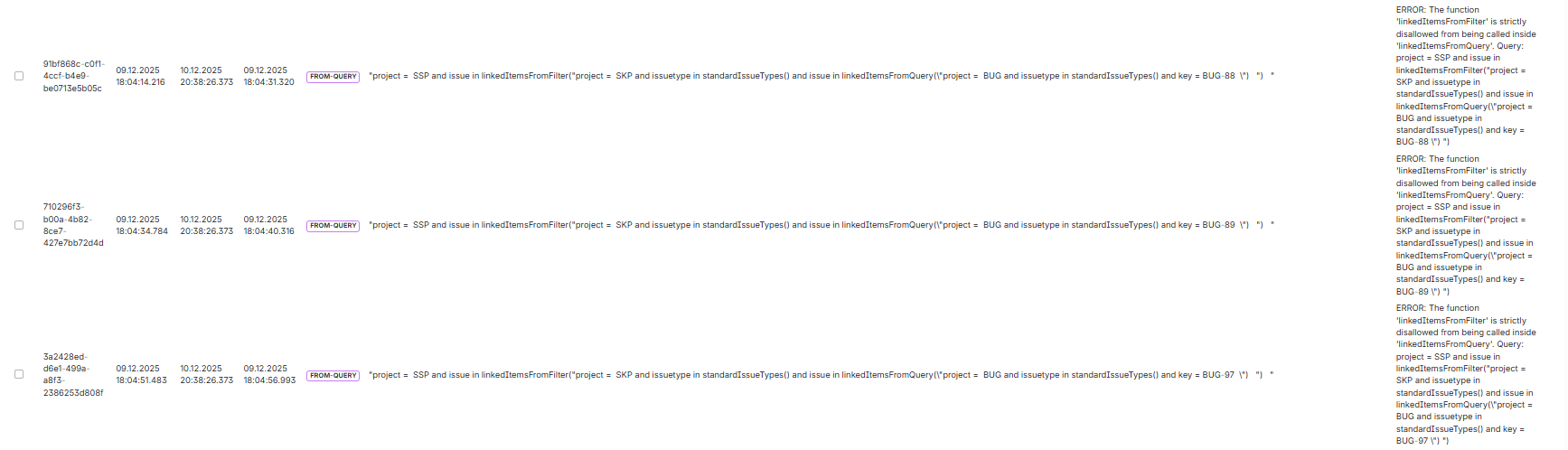
Errors & Failed Query Details
If any SearchMate query fails due to syntax issues, unsupported input, or link resolution errors it is captured here.
This allows administrators to quickly identify incorrect queries and help users resolve common mistakes.
Storage Data Sync Issue Detected
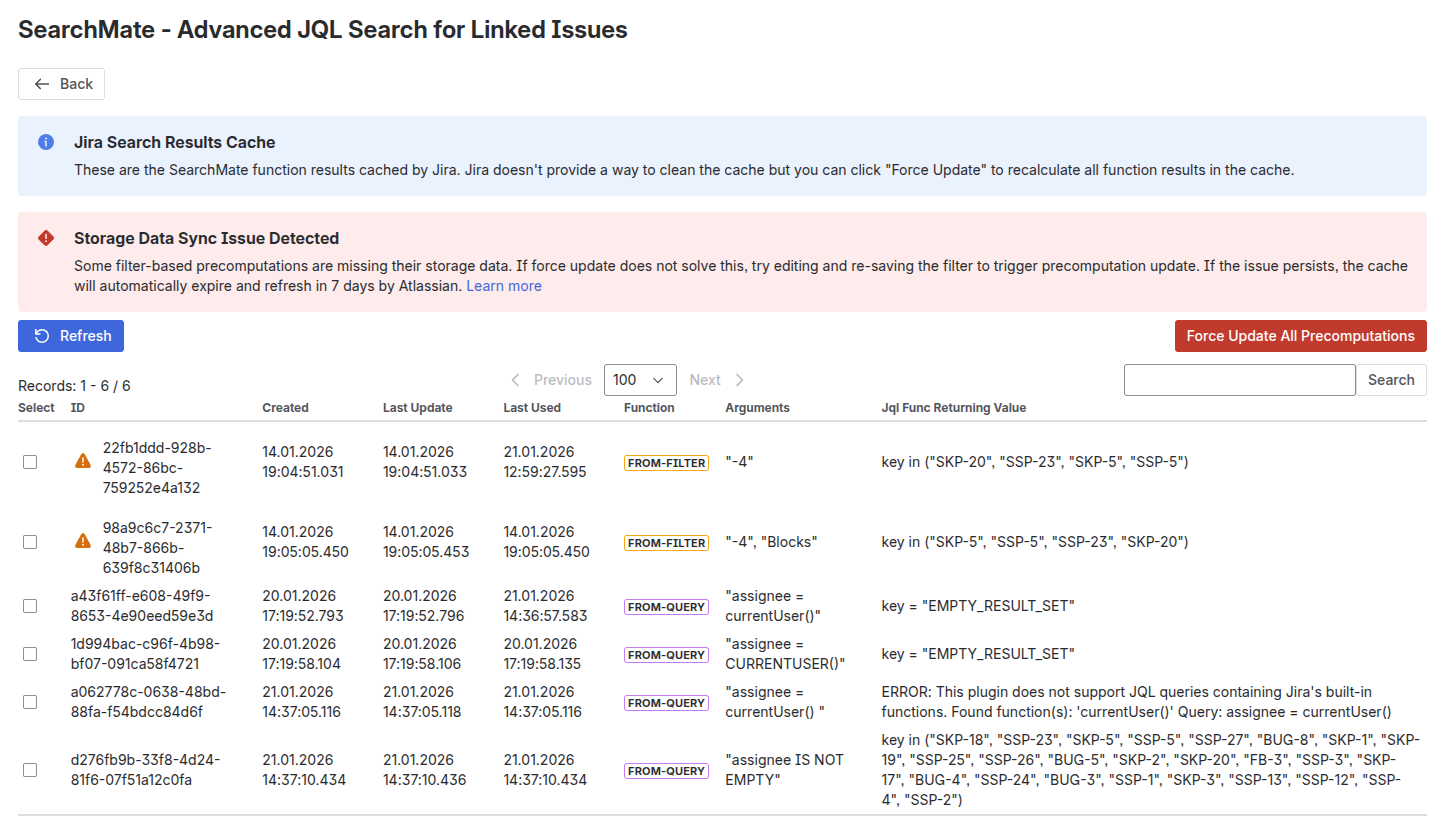
This warning indicates that some filter-based SearchMate precomputations are missing their cached storage data in Jira.
SearchMate relies on Jira’s internal search result cache to store and reuse the results of JQL-based functions. In rare cases, Jira may fail to properly synchronize or retain this cached data, which can cause SearchMate results to appear outdated, incomplete, or unavailable.
Recommended Actions
-
Click “Force Update All Precomputations”
This forces Jira to recalculate all cached SearchMate function results.
In most cases, this immediately resolves the issue. -
If the warning persists, edit and re-save the affected Jira filter to trigger a fresh precomputation cycle.
-
If no manual action is taken, Jira automatically expires and refreshes the affected cache within 7 days.