
Historian Assistant lets you explore issue history and get guidance using natural language. You describe what you need, and Assistant helps you find the right approach to track, filter, and analyze your Jira issue changes.
Historian Assistant is powered by Atlassian Rovo.
You can ask about:
-
changes made to a specific issue or set of issues
-
who changed a field and when
-
how to filter and group history logs
-
comparing an issue's state between two dates
-
reconstructing what your backlog or project looked like at a past date
-
how to use any feature within Historian
Example requests:
-
How can I see all the changes made to SSP-3?
-
Who changed the status of SSP-101 and when?
-
How can I see all priority changes made in the project SSP last month?
-
What did my SSP project backlog look like on January 1st?
-
How do I compare SSP-45 between two dates?
-
How can I find all changes made by John Smith in project SSP last week?
How it works
Historian Assistant can be accessed from two places:
From the Historian main screen:
-
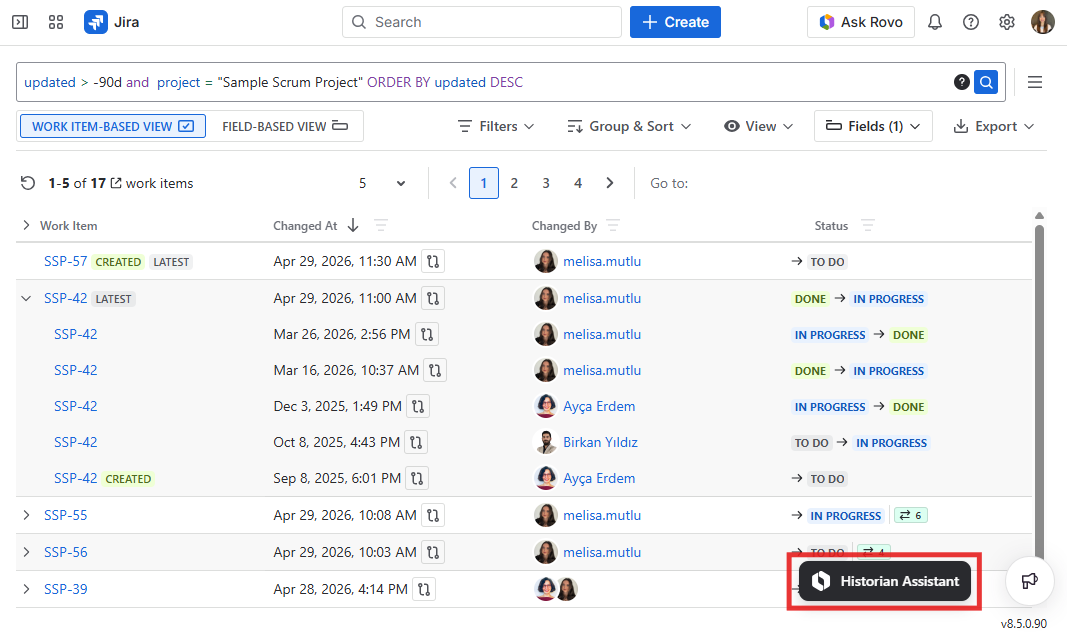
Click the Historian Assistant button located in the bottom-right corner of the Historian main screen.
-
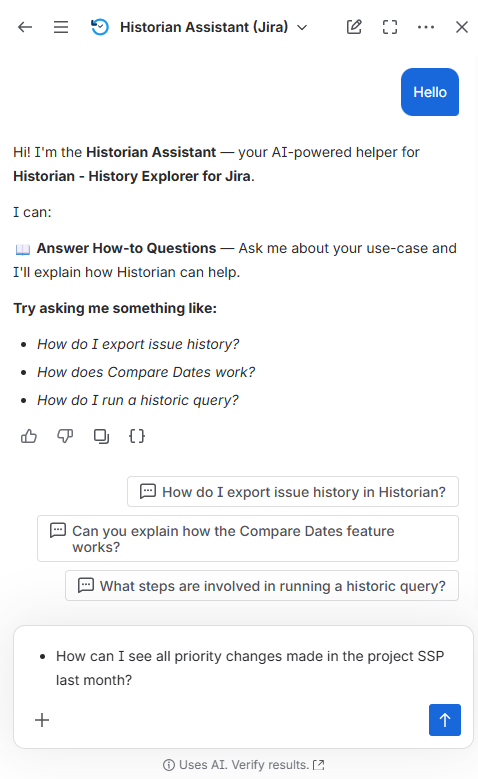
Enter a question or request in plain language.
-
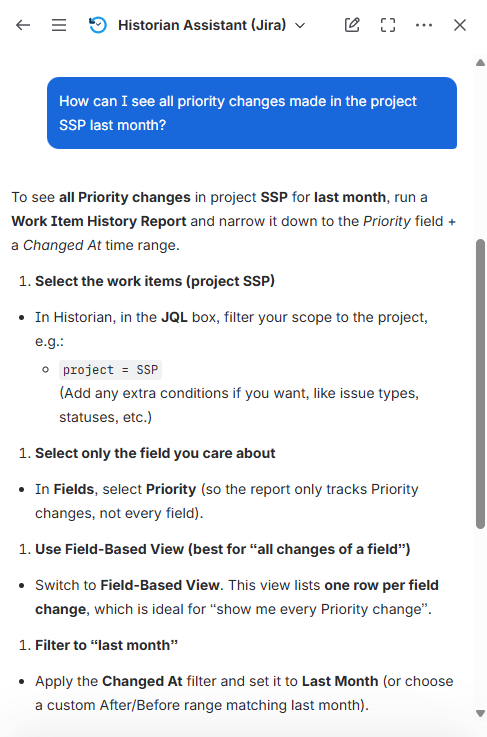
The assistant analyzes your input and:
-
guides you step by step on how to use the relevant Historian feature, or
-
provides a direct answer about Historian features or configuration.
-
Follow the guidance provided to configure your report, apply filters, or navigate to the relevant feature.
From the Work Item View Tab:
-
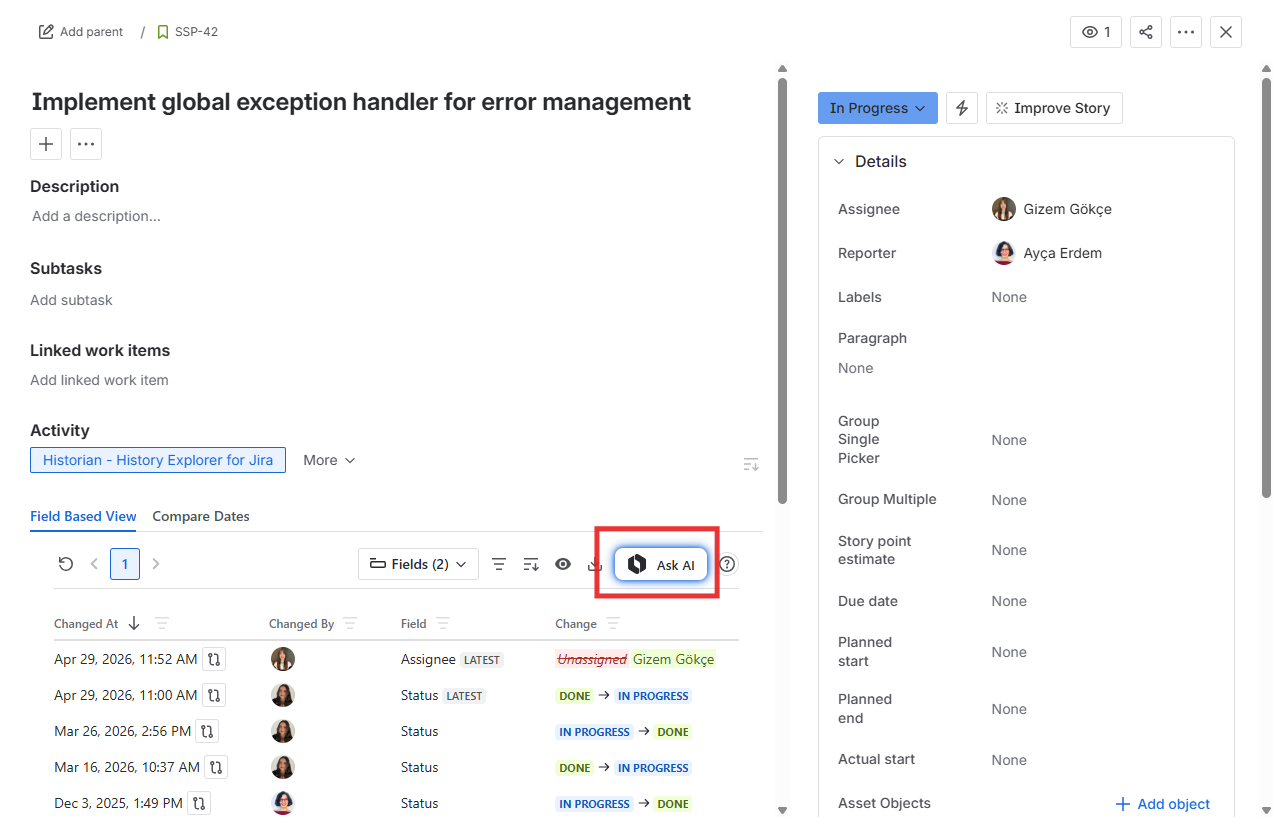
Open any Jira issue and navigate to the Activity section.
-
Click on the Historian - History Explorer for Jira tab.
-
Click the Ask AI button located in the upper-right corner of the tab.
-
Enter your question or request in plain language and follow the guidance provided.
Notes
-
Historian Assistant is focused exclusively on Historian - History Explorer for Jira. It is not able to answer general Jira questions or questions about other apps.
-
The assistant provides guidance based on your current needs and the full capabilities of Historian, including the Work Item History Report, Compare Dates, Historic Query, and the Work Item View Tab.
-
Some complex queries may require refinement or follow-up questions.
-
The assistant guides you on how to find and view your data within the app, it does not display report results directly within the chat.
Historian Assistant is a Rovo Agent with customized instructions. It does not depend on an AI model that is hosted externally, and surely doesn’t egress any customer data. All the AI capabilities of this agent are directly from Rovo. All the responses you get from this agent come from Rovo, and they are subject to the same limitations, permissions checks, and safeguards of Rovo.
Only users who can already access Rovo can use this agent. Currently, the only way to disable this agent is to disable Rovo altogether on your Jira.