
The Permissions page allows Jira administrators to control who can access Historian - History Explorer for Jira and who can export reports. These settings are managed separately, giving administrators fine-grained control over both app usage and data export.
The Permissions page can be found under Jira Administration → Apps → Historian - History Explorer for Jira → Permissions.
App Access
Access to Historian can be controlled through permissions. Administrators can decide who is allowed to use the app by configuring one of the following options:
-
Everyone can use the app
When this option is selected, all Jira users in the instance will be able to access Historian.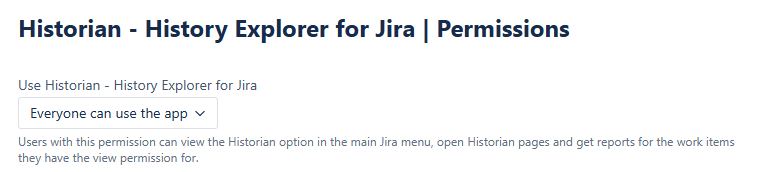
-
Restrict access to specific groups
When this option is selected, only members of the groups you specify (e.g., Customer A Service Team, Customer B Service Team) will be able to use Historian. You can add or remove groups as needed.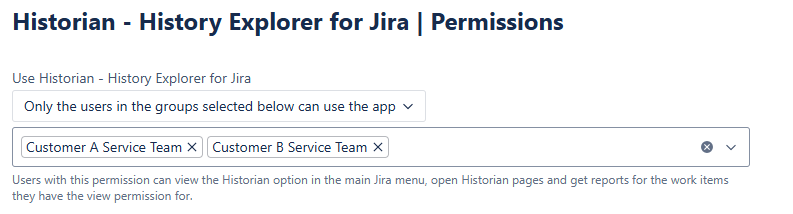
Users with permission can:
-
See the Historian - History Explorer for Jira section in the Apps menu
-
Open Historian pages and generate reports for work items they already have view permissions for in Jira
-
View the Historian tab in the Work Item View Tab
Export
The ability to export Historian reports can be controlled through permissions independently from app access. Administrators can decide who is allowed to use the export feature by configuring one of the following options:
-
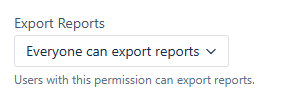
Everyone can export reports
When this option is selected, all Jira users in the instance will be able to export reports from the app.
-
Restrict export to specific groups
When this option is selected, only members of the groups you specify (e.g., Customer A Service Team, Customer B Service Team) will be able to export reports. You can add or remove groups as needed.

Users with export permission can see the Export button in the app. If a user does not have export permission, the Export button will not be visible to them at all.