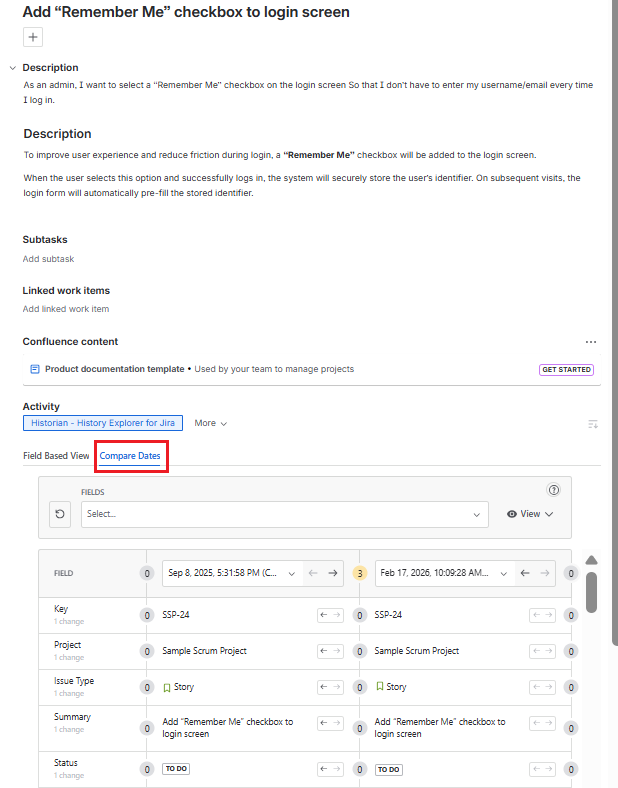
The Work Item View Tab in Historian - History Explorer for Jira allows you to view, analyze, and filter the history of a selected work item directly from within the Jira issue screen. It provides a structured way to see what changed, when it changed, and who made the changes, without leaving the issue you are working on.
The Work Item View Tab offers two different views for analyzing the history of the selected work item. You can choose the view that best fits how you want to explore the data.
Accessing Historian Work Item View Tab
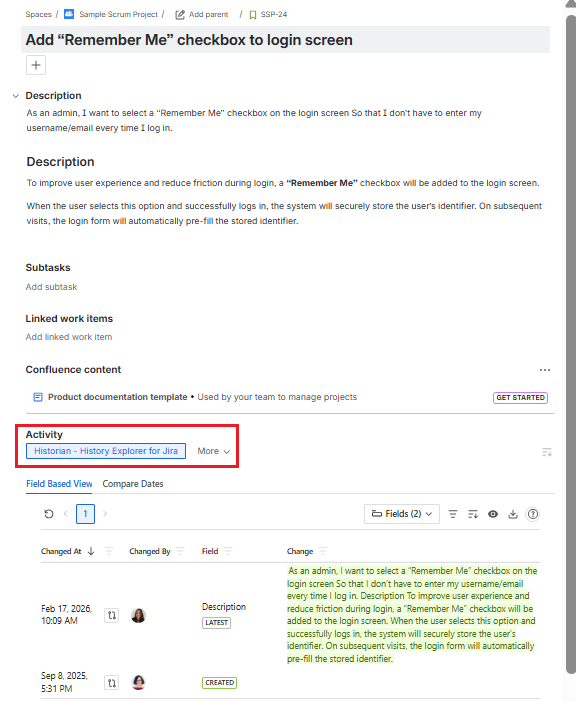
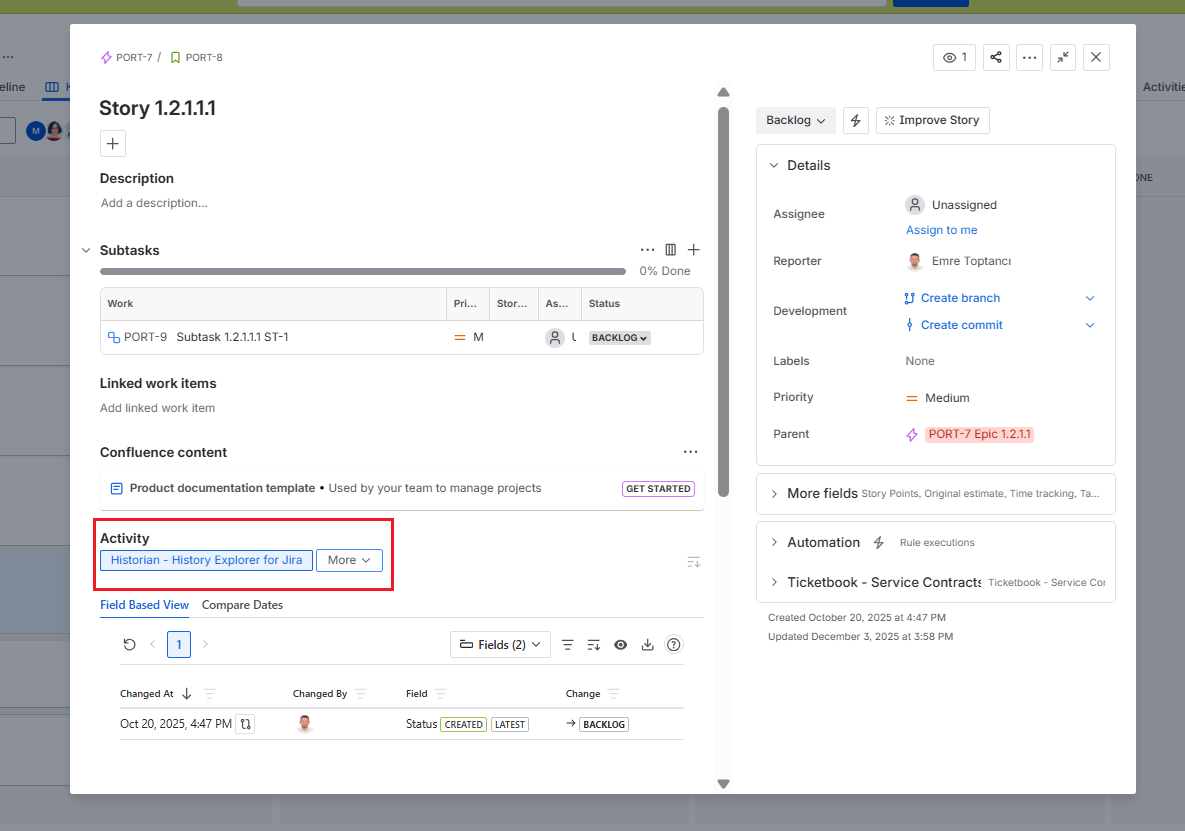
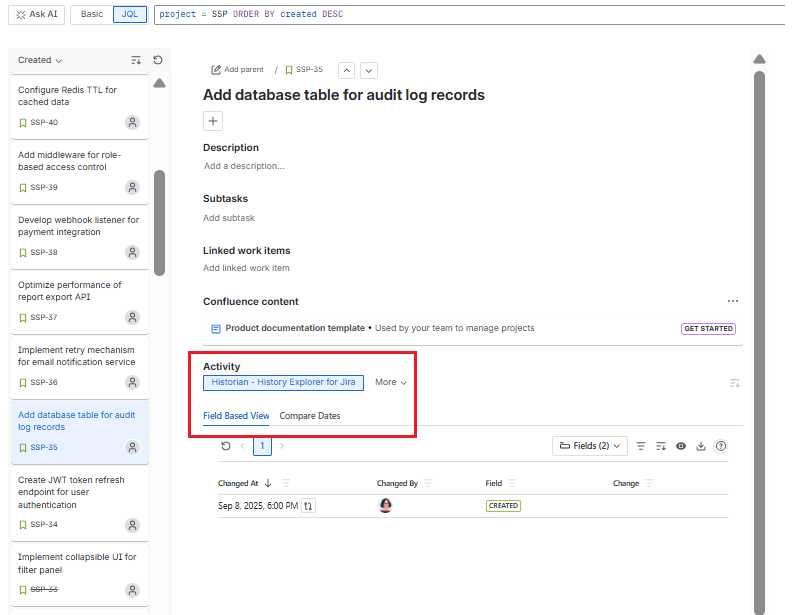
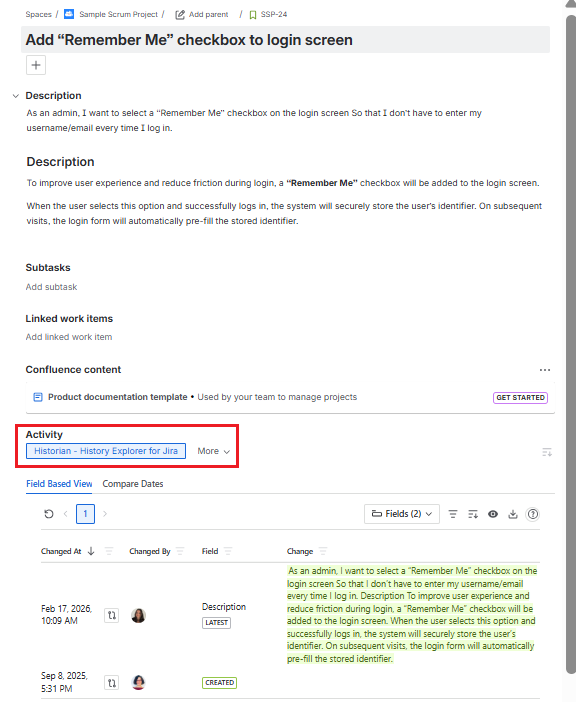
The Work Item View Tab can be accessed from within any Jira work item. It is available in all standard Jira issue layouts, including the full page view, backlog view, board popup panel, and the issue navigator.
Navigate to Jira → Related Work Item → Activity → Historian-History Explorer for Jira to open it.
|

|
|
|
Permission
By default, all users who have access to a work item in Jira can see the Work Item View Tab. Export access can also be configured separately. You can use the Permissions page to configure which user groups can access this tab and which can export the data.
Tabs
The Work Item View Tab provides two different ways to analyze a work item's history. You can either review detailed field-level changes in the Field-Based View, or compare field values between two specific points in time using Compare Dates.
Field-based View
The Field-Based View displays the work item's history in a field-focused layout. Changes, field names, the date the change was made, and the user who made the change are all displayed as columns in the report.
When the Work Item View Tab is opened for the first time, Assignee and Status fields are selected by default. Users can select any fields they want to analyze from the fields section. If a user changes the field selection while viewing a work item, their selection will be remembered and applied automatically on future visits.
By default, each row shows the date of the change, the user who made it, the field that was changed, and the details of the change including the old and new values.
See Field-Based View for full details about this view.
Compare Dates
Compare Dates is a report that shows the field values of a Jira work item at two different points in time, making it easy to identify what changed, when, and which fields were affected.
In Compare Dates, the fields selected in the Field-Based View are preselected by default and used to compare the fields over a specified range. Users can change these selections if they wish to analyze different fields.
See Compare Dates for full details about this view.