
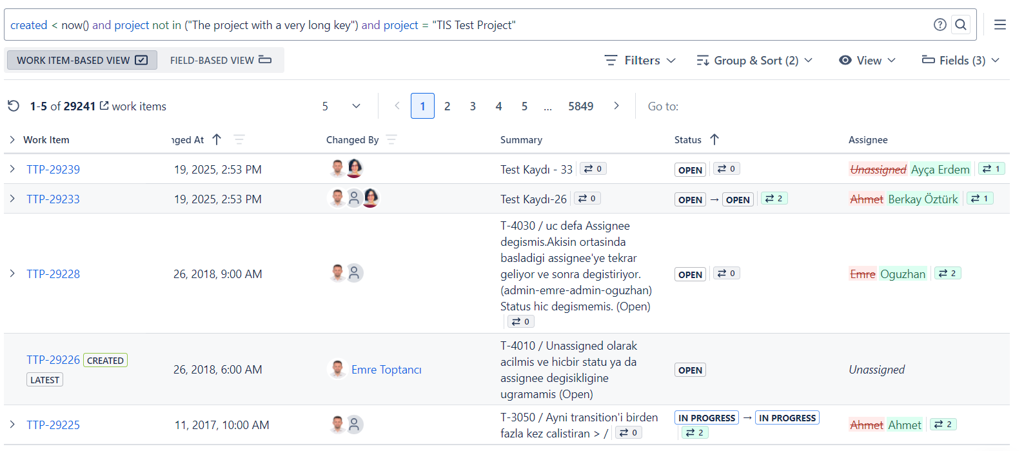
The Work Item History Report in Historian provides a structured view of all changes made to selected work items. It allows you to choose which issues and fields to include, and then review their histories either in a work item–focused or field–focused format.
How to Access
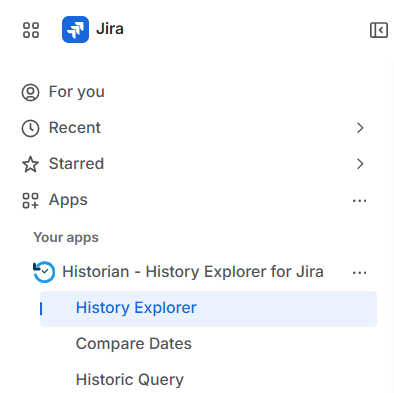
The Work Item History Report is available under:
Apps → Historian - History Explorer for Jira → History Explorer
Selecting Work Items
Start by entering a JQL query to define which issues to include in the report. Historian fetches the full change history for all matching issues and displays them in the report table. (See Selecting Work Items)
Selecting Fields
Once your issues are loaded, you can choose which fields to track. Only the fields you select will appear as columns in the report, allowing you to focus on the changes that matter most to you. (See Selecting Fields)
Work Item Based View
The Work Item Based View groups all change log entries under their respective issues. Each row represents a change event and includes multiple fields that were updated at the same time. This view is ideal for following the full timeline of a single issue or comparing issues side by side. (See Work Item Based View)
Field Based View
The Field Based View displays each field change as its own individual row, even if multiple fields were changed simultaneously. This view is best suited for analyzing how a specific field has changed across many issues over time. (See Field Based View)
Group & Sort
You can control how the report is organized by grouping log entries by work item and sorting issues or history entries by selected fields and change dates. (See Group & Sort)
Filter
Historian provides multiple filtering options to narrow down the history log. You can filter by date range, by the user who made the change, and by specific field values. Filters across multiple columns combine with AND logic for precise results. (See Filter)
View Options
View options let you control how the report is displayed. In Work Item Based View, you can highlight changes to make them easier to spot at a glance. You can also expand or collapse all entries for a cleaner overview. (See View Options)
Export
The history data can be exported to XLSX or CSV formats for use in external tools, spreadsheets, or audit reports. The export option is only available to users who have been granted export permission by a Jira administrator. (See Export)