
Accessing TicketBook from the Apps Menu
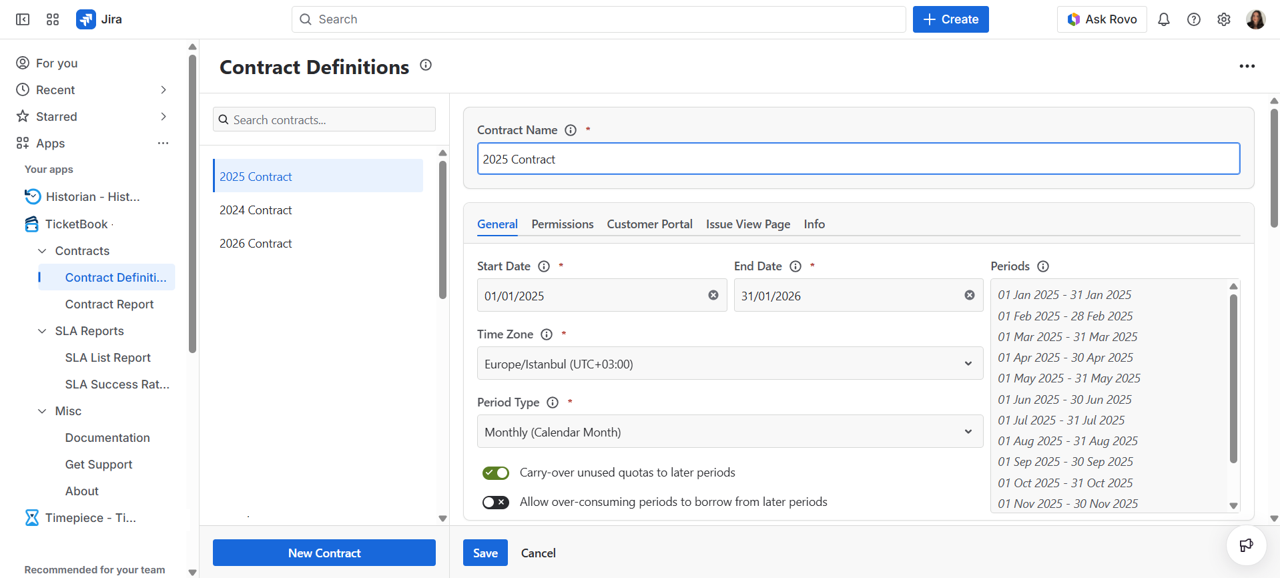
When installed, TicketBook adds a new item under the Apps menu in the main Jira navigation bar. To access the app, click the TicketBook link under the Apps menu. This will take you to the Contract Definitions screen, which is the main hub of the app.
Accessing TicketBook Admin Settings
In addition to the main app interface, Jira Administrators can access TicketBook's global configuration from the Jira Admin panel. To do so:
-
Go to Jira Admin Settings
-
Navigate to Marketplace Apps
-
Select TicketBook
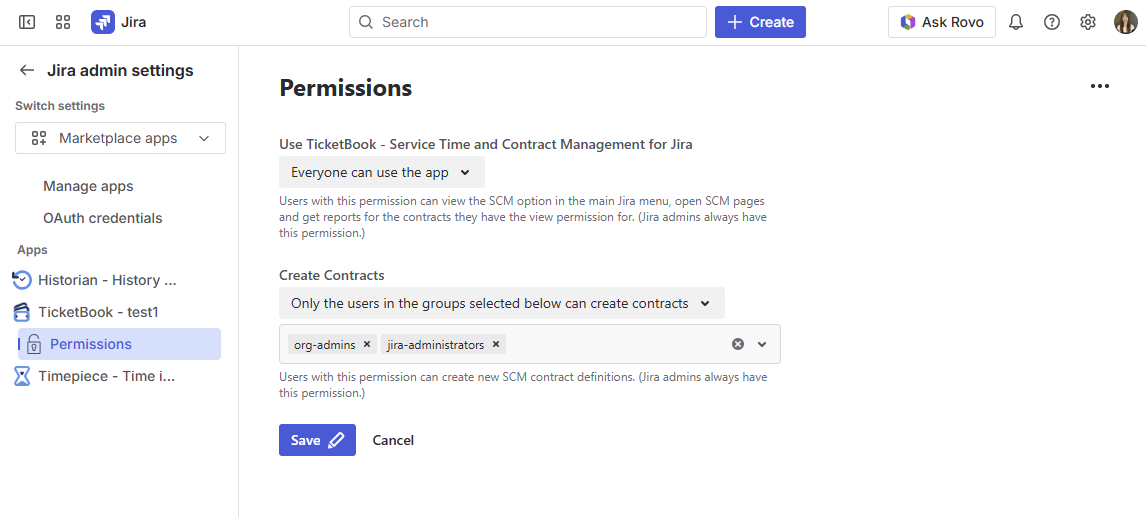
From here, administrators can manage app-level permissions, including who can view contracts and who can create new ones. For more details on this, see Permissions.
Who Can Access TicketBook?
Access to TicketBook is controlled at two levels:
-
App-level permissions: Set globally by a Jira Administrator under Jira Admin Settings. These define which users can view contracts and which users can create them.
-
Contract-level permissions: Set individually on each contract. These control which specific users can view or edit a particular contract.
If you cannot see the TicketBook link under the Apps menu, contact your Jira Administrator to request access.
For a full breakdown of the permission model, see Permissions.