
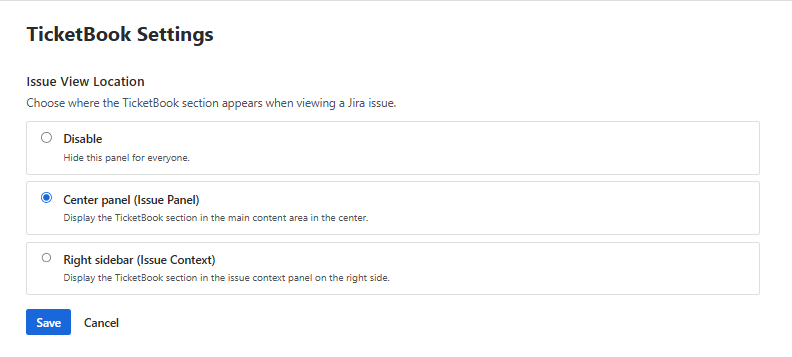
The TicketBook Settings page allows Jira Administrators to control where the TicketBook section appears when viewing Jira issues. These settings determine whether the section is visible to users and, if enabled, where it is displayed within the issue view.
Setting the display location correctly helps ensure that the TicketBook section is available where users expect to find it while working on issues. Administrators can choose to display the TicketBook section in the main issue panel, in the issue context panel on the right side, or hide it entirely.
Accessing the Permissions Page
The Permissions page can be found under:
Jira Admin Settings → Marketplace Apps → TicketBook → Page Settings
Only Jira Administrators can access this page and modify these settings.
Related
For information on how the TicketBook section appears within the issue view, see Issue View Panel.