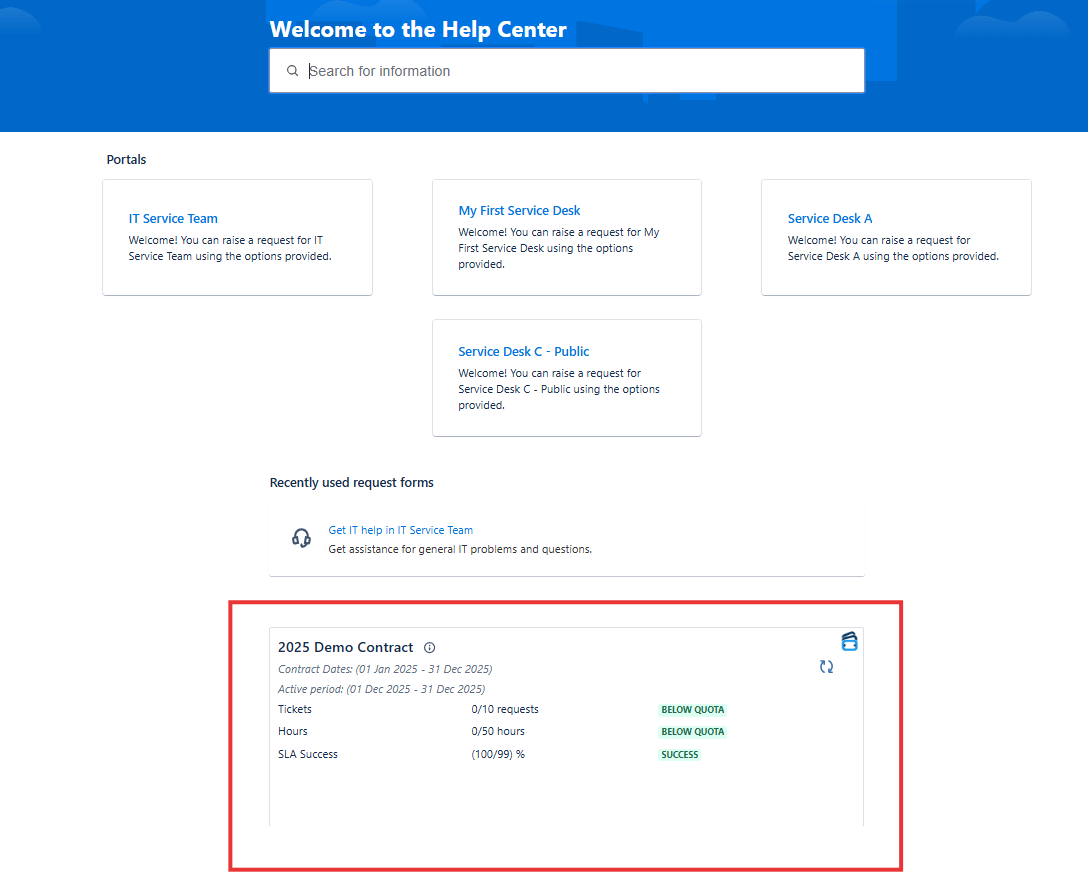
TicketBook allows you to display the current period summary report of a contract directly on the Jira Service Management Help Center and Project Portal pages. This gives your customers real-time visibility into their contract usage — how much of their quota has been consumed and how much remains — without them needing to contact your team or wait for a monthly report.
This transparency is one of the key benefits of managing contracts inside Jira. When customers can see their own usage at any time, it eliminates surprise invoices, reduces back-and-forth communication, and builds trust in the service relationship.
Anonymous users without an account on the Help Center will not be able to see the panel.
Configuration
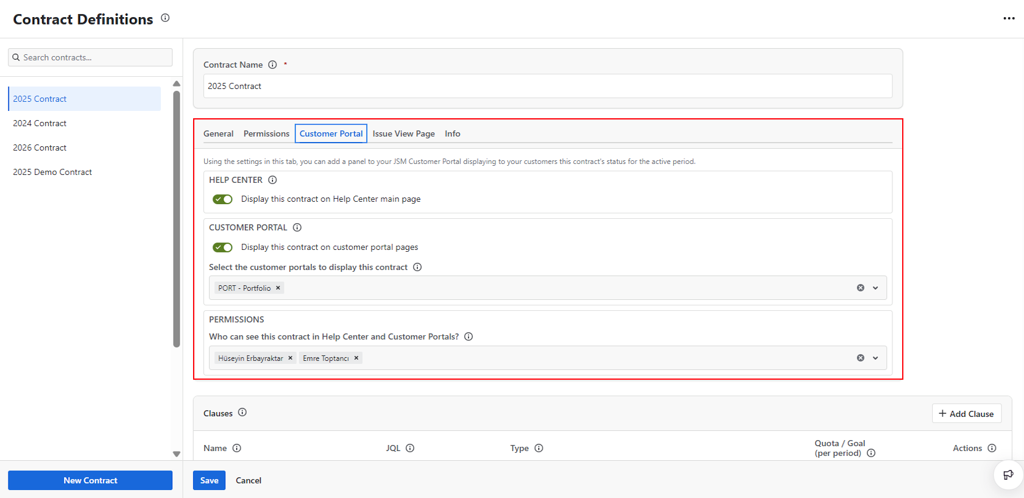
Using the Customer Portal tab in the Contract Definition screen, the following settings can be configured:
Enable or Disable the Help Center Panel
Toggle whether the contract's current period summary report should appear on the JSM Help Center page. When enabled, all qualifying users who visit the Help Center will see the panel at the bottom of the page.
Enable or Disable Customer Portal Panels
Define which service projects' portal pages will display the contract's panel. You can enable the panel for one or more specific project portals, giving you control over which customers see which contract data.
Set Visibility by Users and Organizations
Determine which users or Jira Service Management organizations will be able to see the panel. This allows you to show the panel only to the relevant customer contacts, rather than to all users who have access to the portal.
Help Center Panel
The Help Center is the main landing page of the JSM customer portal. It lists all the service portals that the logged-in user has access to.
When the Help Center Panel option is enabled for a contract, the current period summary report for that contract will be displayed at the bottom of the Help Center page for qualifying users. The summary shows clause-level consumption data for the current period, giving customers an at-a-glance view of where they stand against their contracted quotas.
Project Portal Panel
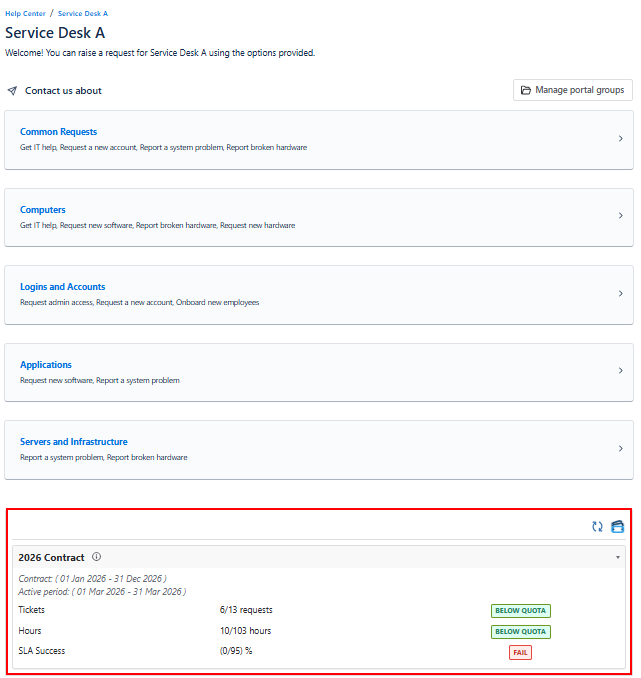
The Project Portal is the JSM service portal page for a specific service project. It lists the request types available on that service desk and is typically the page customers use to submit new requests.
When the Project Portal Panel is enabled for a service project, the current period summary report for the contract will be displayed at the bottom of that project's portal page. This places the quota information exactly where customers are most likely to check it — right before they submit a new request.
Who Sees the Panel?
The panel is visible only to logged-in users who meet all of the following conditions:
-
They have an account on the JSM Help Center
-
They are included in the visibility settings configured on the Customer Portal tab (either individually or as part of an organization)
-
The Help Center Panel or Project Portal Panel is enabled for the relevant contract or project
This ensures that contract data is only surfaced to the right people, keeping sensitive quota information away from users who are not part of that service agreement.
Related
For configuring how contract data is displayed to your internal agents on Jira issue pages, see Issue View Page Panel.