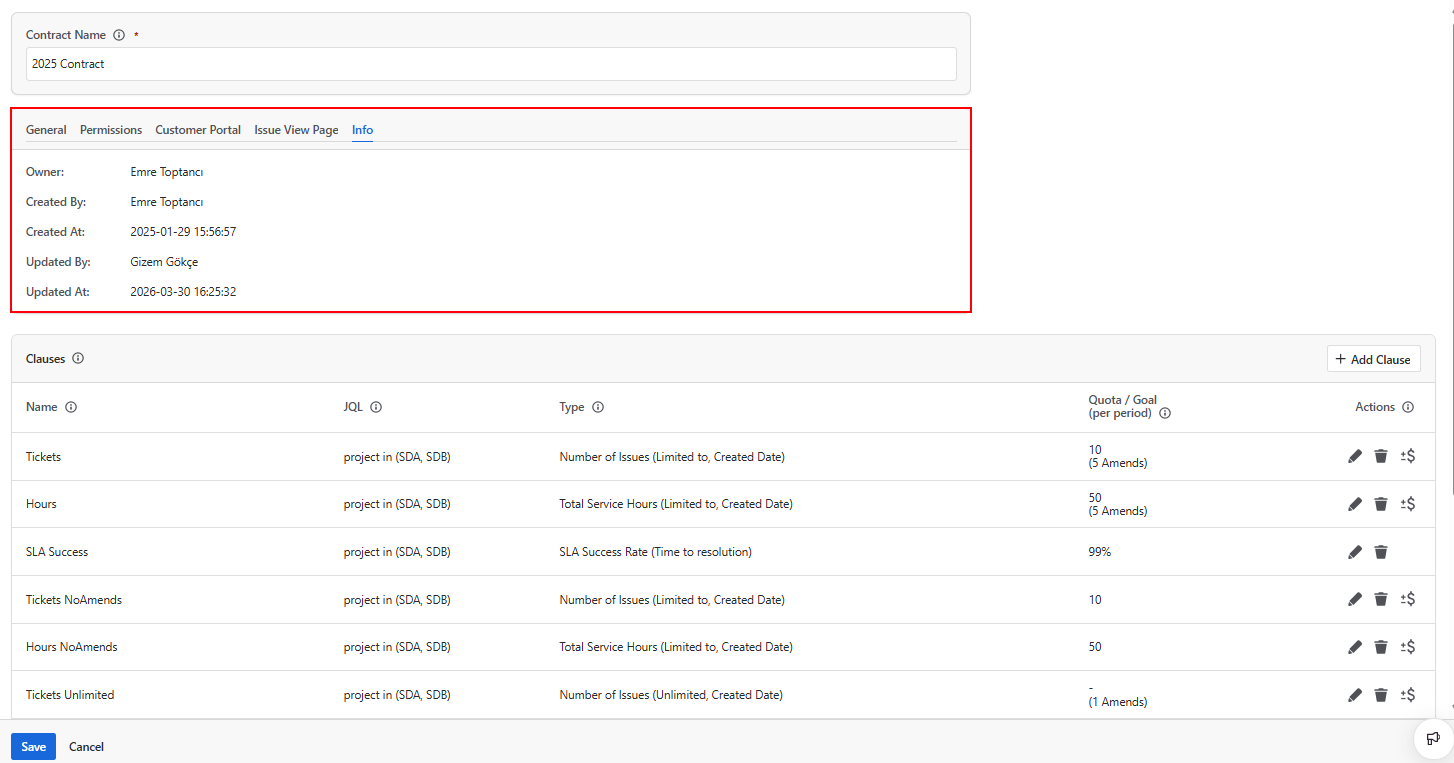
The Info tab provides a clear overview of a contract's ownership and change history. It gives users a quick way to identify who is responsible for a contract and track when it was created or last modified, without having to dig through audit logs or ask around.
This is particularly useful in environments where multiple team members are involved in managing contracts, or where contracts are long-running and may have been set up or modified by different people over time.
Contract Info
The Info tab displays the following fields:
Owner
The user designated as the primary responsible person for this contract. The owner always has full View and Edit permissions on the contract, regardless of what is configured in the Permissions tab. Only the contract owner or a Jira Administrator can delete the contract.
The owner is set on the Contract Permissions tab and is displayed here for reference. If you need to change the owner, navigate to the Permissions tab.
For more details on how ownership relates to the broader permission model, see Contract Permissions.
Created By
The Jira user who initially created the contract. This field is set automatically when the contract is first saved and cannot be changed.
Created At
The exact date and time when the contract was first saved. This field is set automatically and cannot be modified. The timestamp is recorded in the time zone configured on your Jira site.
Updated By
The Jira user who most recently modified the contract. This includes any changes to the contract's general settings, dates, clauses, amends, or permissions. This field is updated automatically every time the contract is saved.
Updated At
The exact date and time when the contract was last updated. Like the Updated By field, this is updated automatically on every save and gives you a reliable record of when the most recent change was made.
Why This Information Matters
Knowing who created or when a contract was last modified is important for accountability and troubleshooting. If a contract's settings look unexpected or a report shows surprising results, the Info tab is the first place to check. It tells you who to speak to and gives you a reference point for when a change might have been made.
In larger teams where contract management responsibilities are shared across multiple users, the Info tab also helps avoid confusion about ownership, making it clear who is ultimately responsible for a given contract.