
Welcome to Timepiece - Time in Status for Jira Cloud.
Timepiece helps teams analyze Jira issue histories, calculate workflow durations, measure agile metrics, and generate advanced operational reports directly from Jira data.
This guide introduces the core concepts of Timepiece and helps you create your first reports.
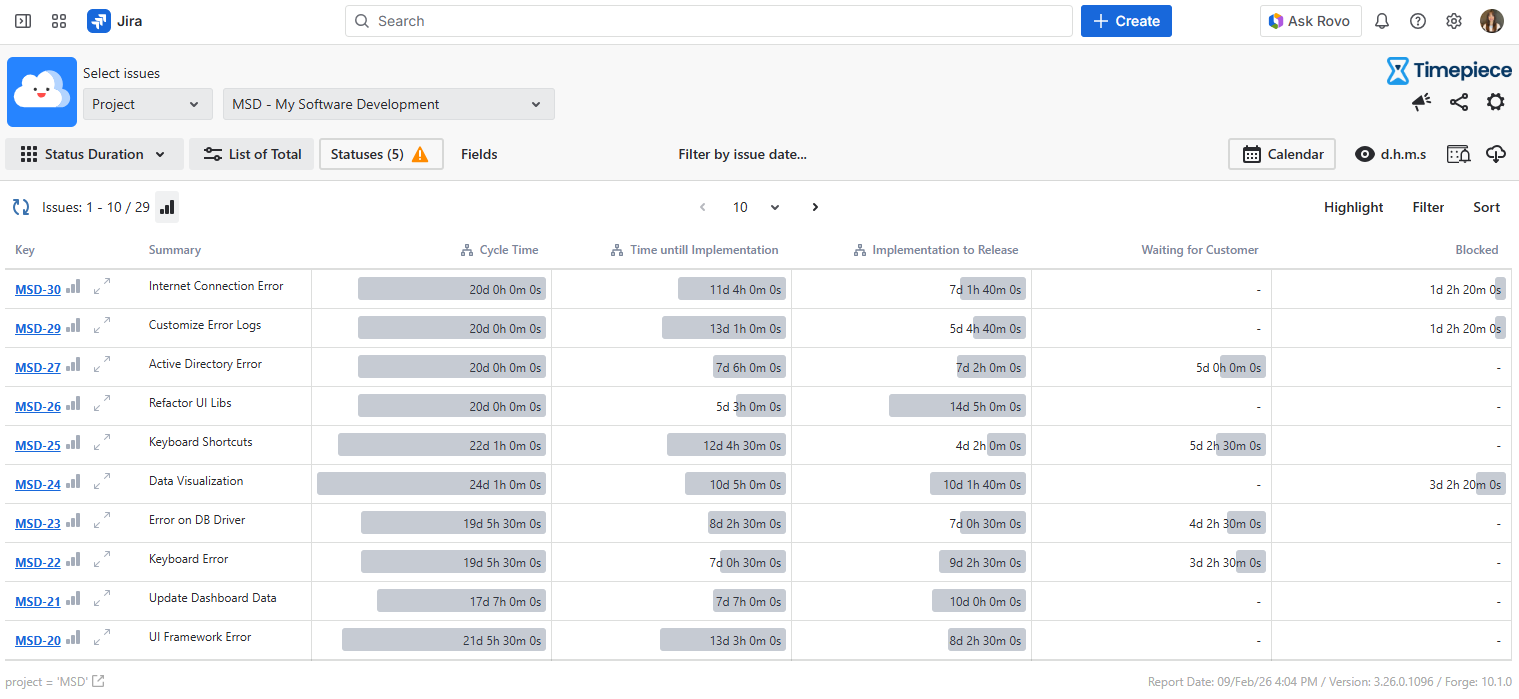
Before You Begin
Before using Timepiece, make sure that:
-
The app is installed on your Jira Cloud instance
-
You have access to the relevant Jira projects and issues
-
Jira issues contain workflow history data
Timepiece generates reports directly from Jira issue history. No workflow modifications or additional automation rules are required.
How Timepiece Works
Timepiece calculates durations and workflow metrics based on Jira issue transitions, status changes, assignee activity, and field history. Timepiece can analyze historical issue data and generate reports for past workflow activity.
Learn more:
Creating Your First Report
To create your first report:
-
Open Apps → Timepiece
-
Select a filter
-
Select a report type
-
Configure filters and grouping options
-
Export or save the report configuration if needed
Next Steps
Understanding Calendars and Working Hours
By default, Timepiece calculates raw elapsed durations.
If you need business-hour or SLA-style calculations, you can configure custom calendars with:
-
Working days
-
Working hours
-
Holidays
-
Time zones
-
Shift schedules
Learn more:
Saving, Sharing, and Scheduling Reports
Timepiece supports multiple ways to reuse and distribute reports.
You can:
-
Save report configurations
-
Display reports on Jira dashboards
-
Export reports in CSV and XLS formats
-
Schedule reports for automatic delivery
Learn more:
REST API and Integrations
Timepiece exposes its reporting data through a REST API, allowing integrations with external reporting and analytics platforms.
Supported integration scenarios include:
-
Power BI dashboards
-
eazyBI reporting
-
Google Sheets
-
Microsoft Excel
-
Internal reporting tools
Learn more:
Timepiece Assistant
Timepiece includes an AI-powered assistant that helps users generate reports and retrieve insights using natural language queries.
The assistant can help reduce manual configuration effort and simplify report generation workflows.
Learn more: