
Installation
Installing the app from Atlassian Marketplace:
-
Navigate to Atlassian Marketplace.
-
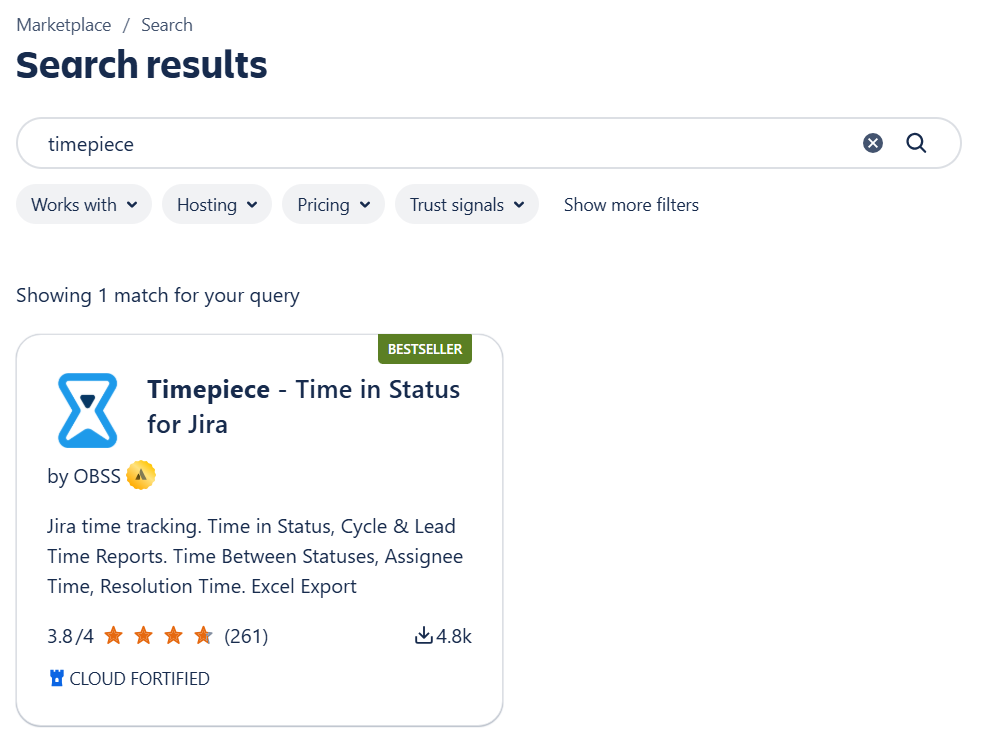
Enter Timepiece in the search box. Search results will appear.
-
Click on Timepiece - Time in Status for Jira
-
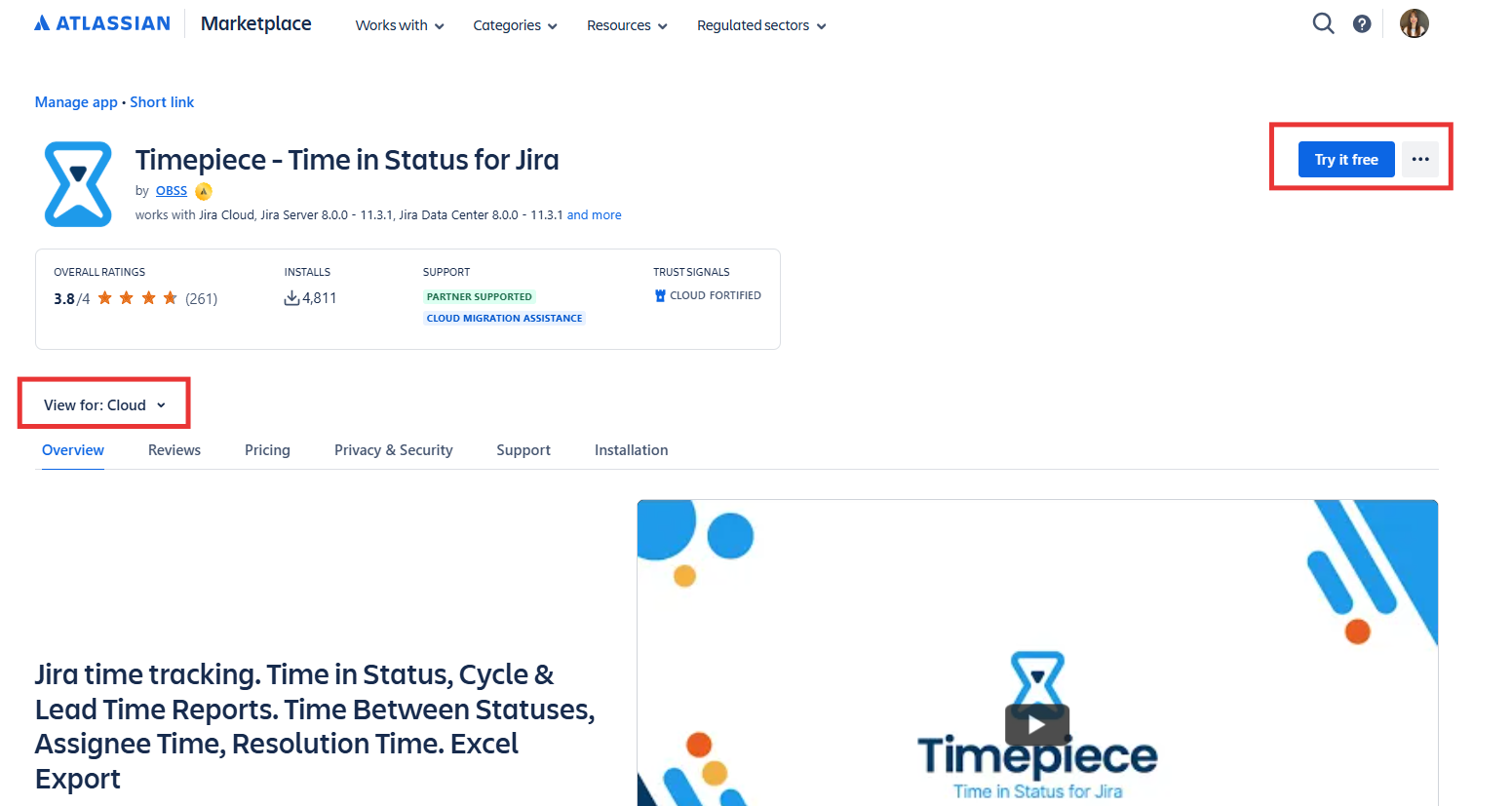
Timepiece - Time in Status for Jira app page will open. Make sure Cloud option is selected.
-
Click on Try it free.
-
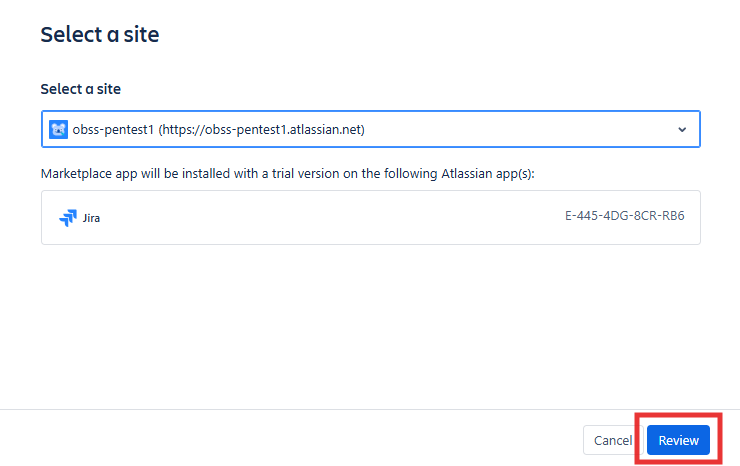
Site selection window will pop. Select the Jira site you want to install the app on and click Review.
-
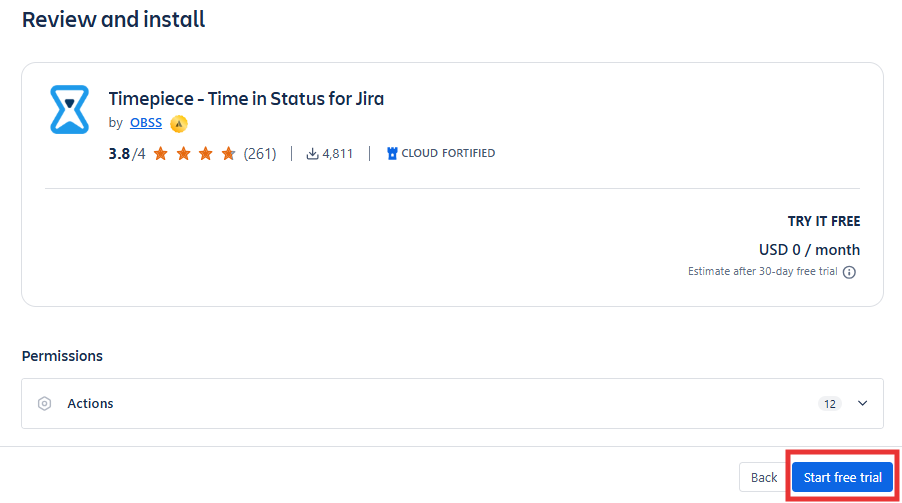
Review the page and click Start Free Trial
-
Atlassian will install the app on your Jira and give you a 30-day evaluation license.
-
You are done 🙂