
Timepiece - Time in Status for Jira can be integrated with Jira Automation, allowing automation flows to run “Timepiece - Time in Status” reports and take actions based on the report results.
For example, you can add comments to issues, update issue fields (such as the original estimate or due date), or automatically transition issues to another status. Report data can also be used as a condition in automation rules or processed further using Rovo Actions for more advanced scenarios.
How to Add and Configure Timepiece Action
To use Timepiece in your automation rules, follow these simple steps:
-
Add a new step: Inside your automation flow builder, click "New step" (or the "+" icon) where you want to execute the report.
-
Select an action: From the "Add a step" panel on the right, select "Action" (specify what your flow should do).
-
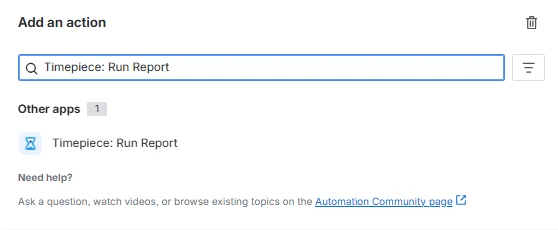
Find Timepiece: In the search or action list, find and select "Timepiece: Run Report".
-
Select a Paramset: Select a predefined paramset to run from the configuration menu.
-
Override Parameters (Optional): If needed, you can override the parameters configured inside the selected paramset.
Please reference the Issue List and Issue Aggregation REST API documentation pages for the names and possible values of the parameters you can override.
The outputType and csvFieldSeparator parameters cannot be overridden. The Timepiece automation action will simply ignore any overrides to these parameters.
Please see the use case articles in our Knowledge Base to learn more about the use cases.