
Timepiece - Time in Status for Jira Report gadget can be used on Confluence Cloud pages to display Timepiece reports.
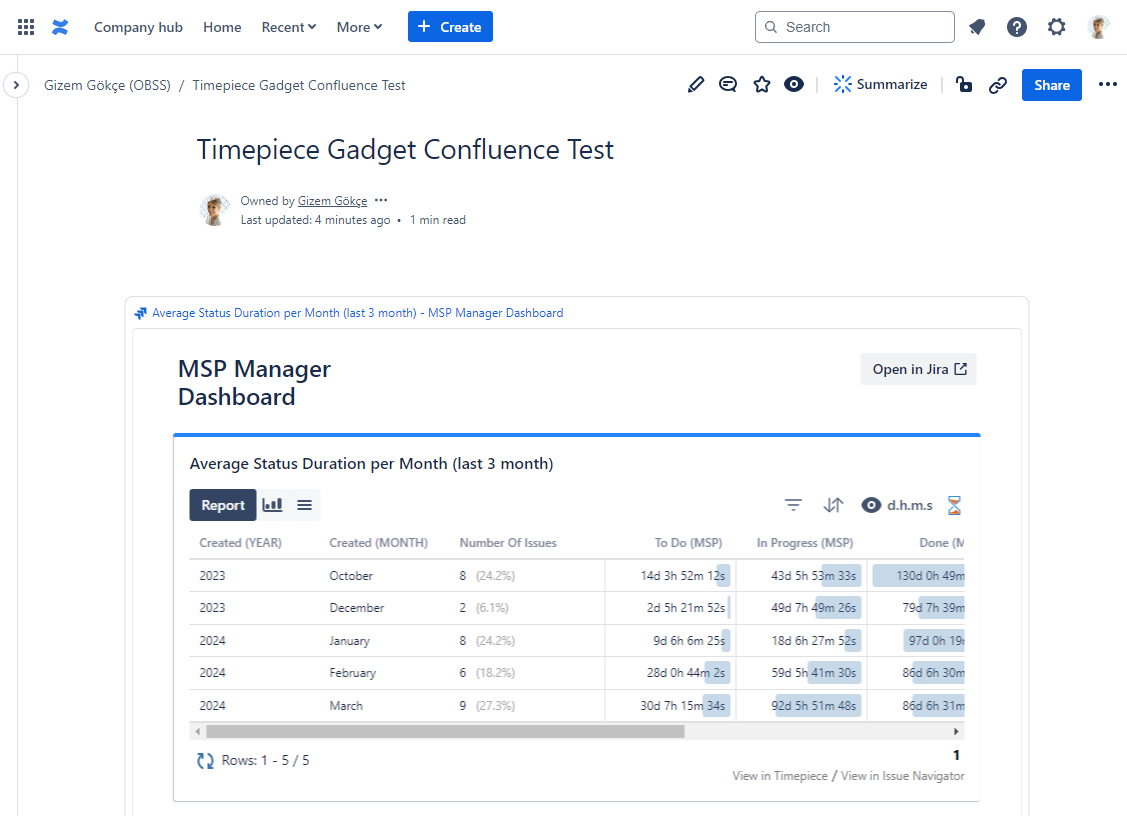
Adding Timepiece Cloud Gadget to a Confluence Cloud Page
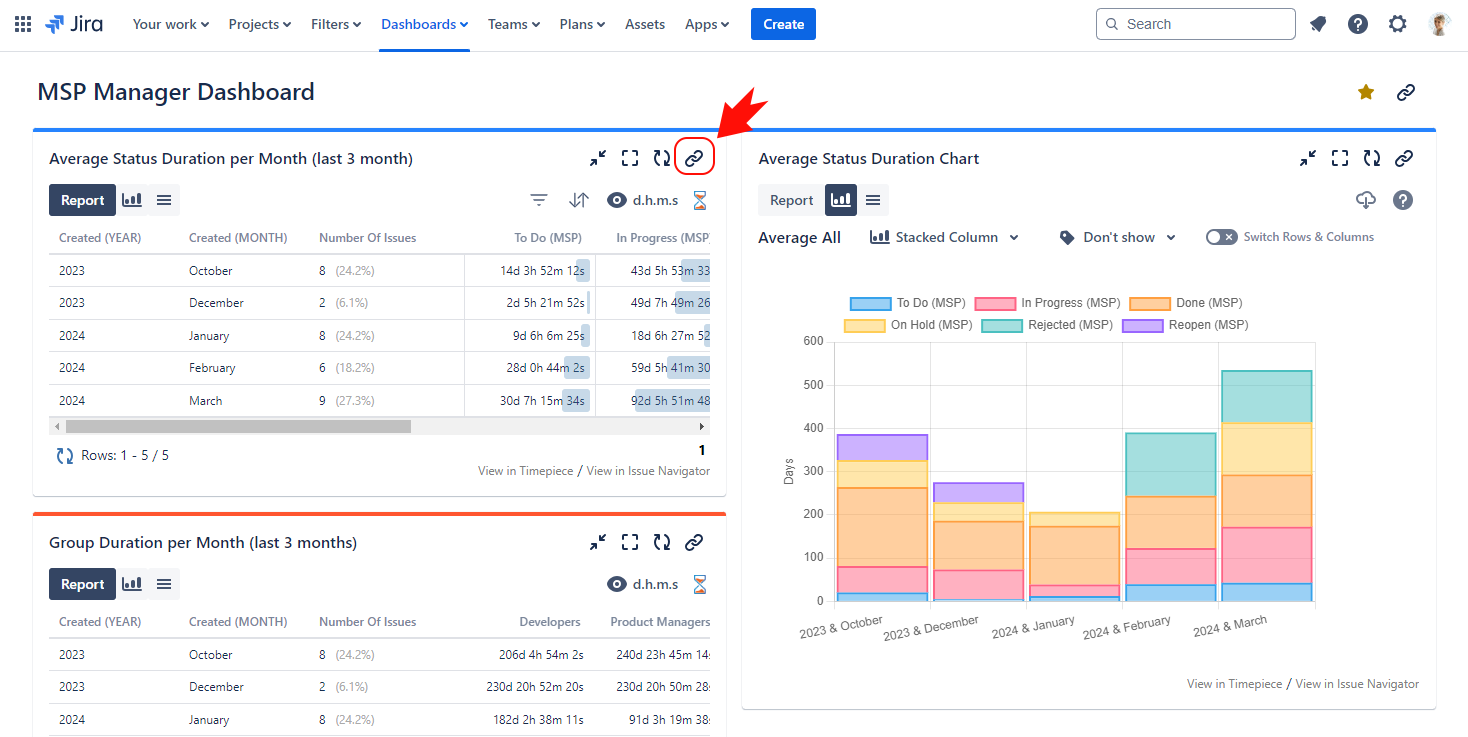
1. In Jira Cloud, navigate to your dashboard and Copy the link of the gadget that you want to share.
2. Open the Confluence Cloud page and enter Edit mode.
3. Paste the link of the gadget from your clipboard.
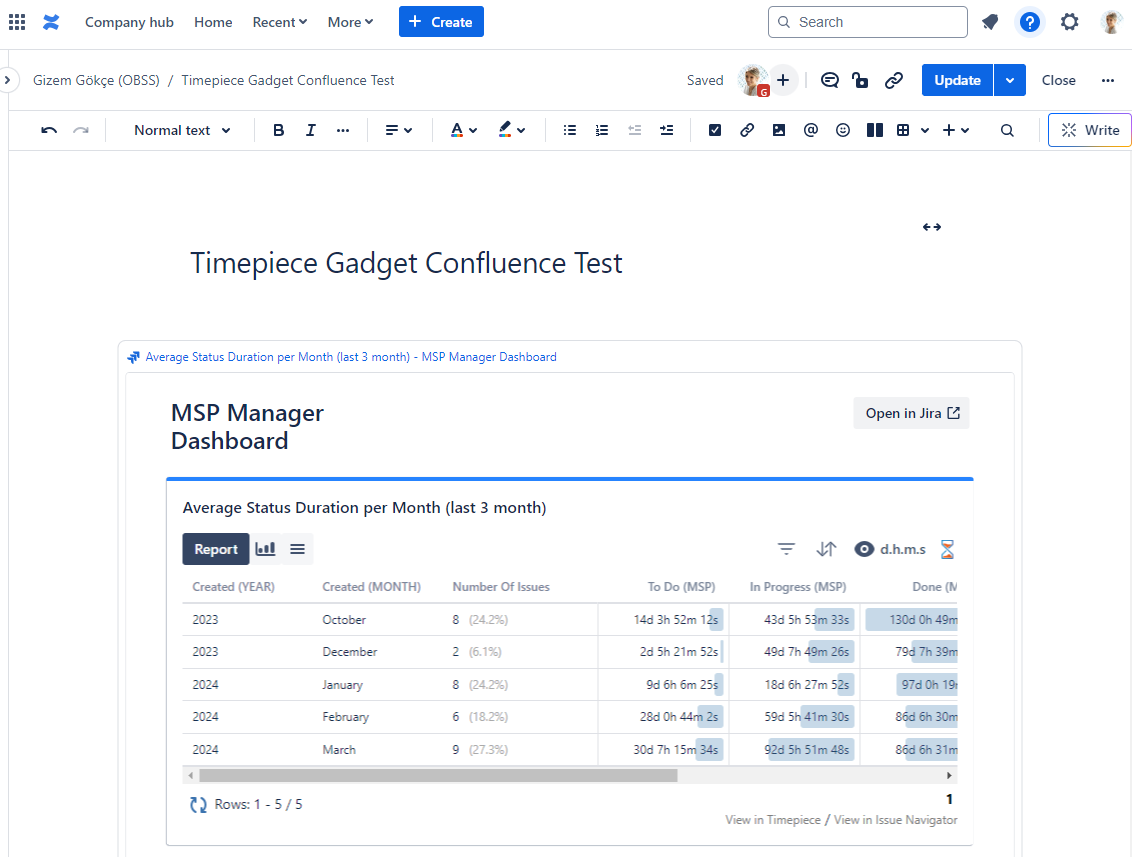
4. Update and save the Confluence page.
All of the gadget's features can be used in Confluence. However, the gadget can only be configured on Jira.
The Timepiece Gadget can be displayed on Confluence pages but PDF & Word Export options are not supported because Confluence does not support exporting gadgets: https://jira.atlassian.com/browse/CONFCLOUD-66619