
The full history of a work item may be too broad to review in the report, so you can select only the fields you want to track changes for.
You can choose which fields to include in the report. This helps you focus on the attributes you care about (such as Status, Assignee, or Summary) instead of going through the entire change history of each work item.
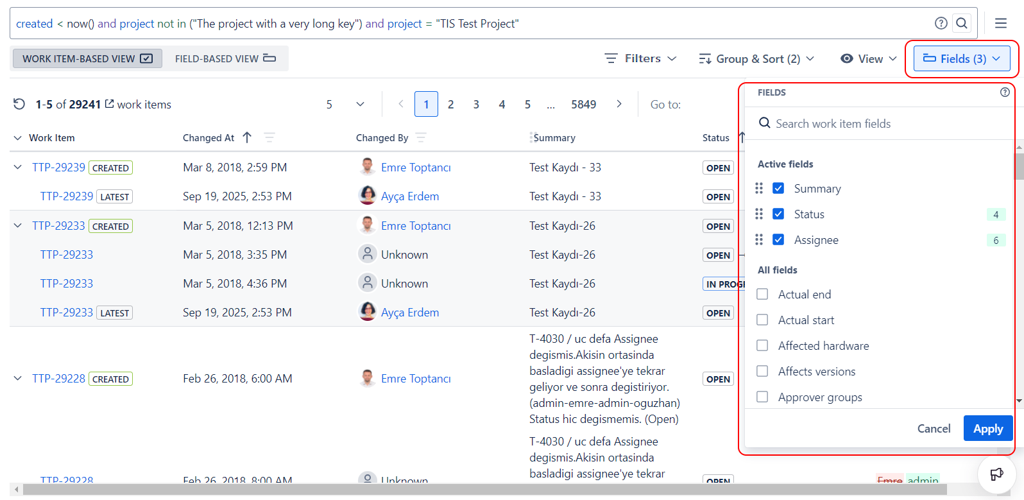
The field selector displays all available Jira fields that have recorded change history for the selected issues, including both standard Jira fields and any custom fields used in your projects. You can add or remove fields at any time without needing to re-run the JQL query.
Each field you select appears as a column in the report. In the Work Item Based View, multiple field changes that happened at the same time are shown together in a single row. In the Field Based View, each field change gets its own row, making it easy to focus on one field at a time across all issues.
Selecting fewer fields results in a cleaner, more focused report, especially useful when you are investigating a specific type of change, such as tracking all status transitions or all priority updates across a project.