
The View Options menu provides additional settings to customize how change history is displayed in the Work Item History Report. These options allow you to adjust the report between a compact, minimal layout and a detailed, highlighted view depending on your analysis needs.
View Options are accessible from the toolbar at the top of the report and apply to the current session without affecting filters or field selections.
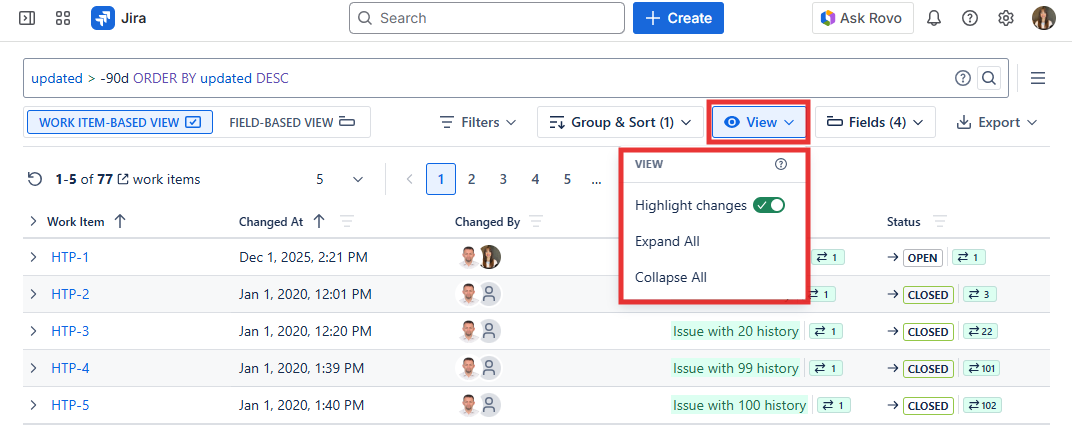
Highlight Changes
When enabled, changes in field values are visually emphasized using color highlights, making it easier to spot exactly what was updated in each change row at a glance. This is especially useful when a single change event contains updates to multiple fields simultaneously. This option is only available in the Work Item-Based View.
Expand All
Expands all grouped change entries for every work item in the report, allowing you to view the full detailed history of every issue without manually opening each group one by one. This is useful when you want a complete overview of all changes across all issues at once.
Collapse All
Collapses all grouped change entries for every work item, providing a more compact view by hiding the detailed history under each group. This is useful when you want a high-level summary of which issues have changes without being overwhelmed by details.