
Selecting Work Items
Use the JQL box at the top of the page to select which issues will be included in the report. This filter limits which issues are included in the result set and allows you to focus only on the issues you want to analyze, such as a specific project, issue type, status, or date range.
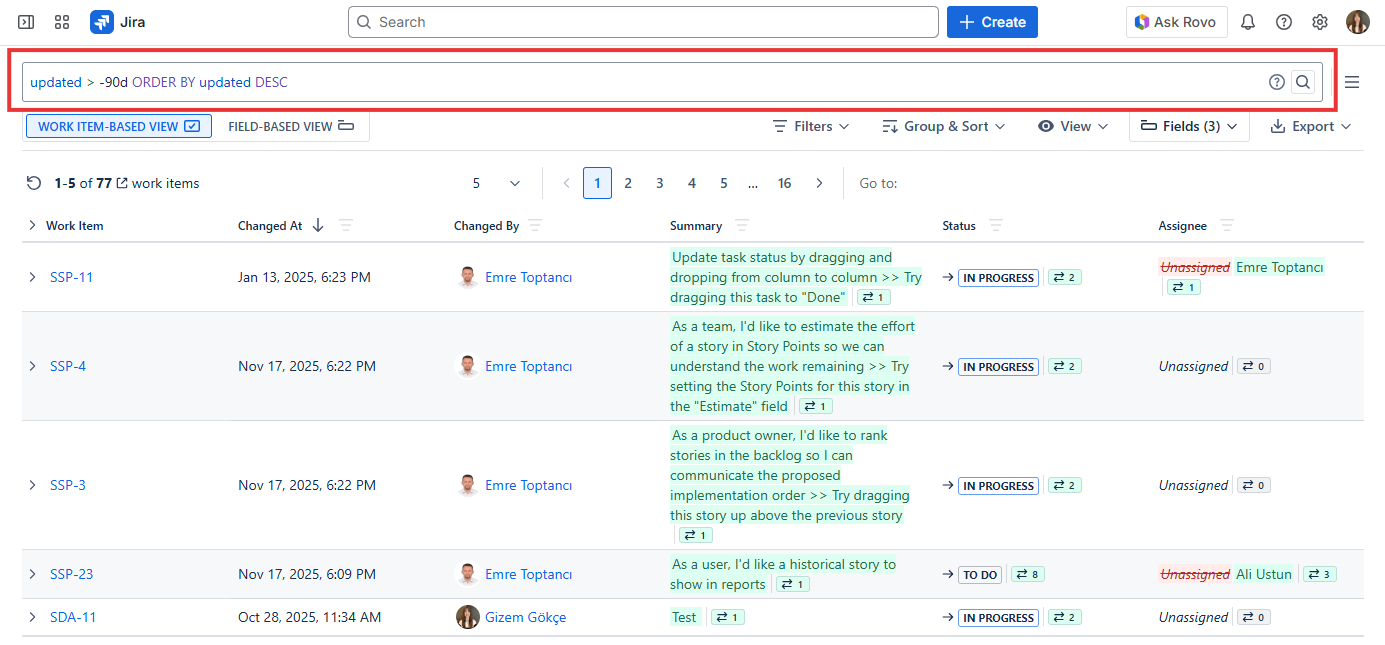
The JQL box accepts any valid Jira Query Language expression. If you are not familiar with JQL, Jira provides an autocomplete feature directly within the input field to help you build your query. You can filter by any standard or custom Jira field, making it possible to scope your history report to exactly the issues you need.
Once you enter your JQL query and run the report, Historian fetches the complete change history for all matching issues and loads them into the report table. Only issues that match the JQL query at the time of running the report will be included.
Some examples of how you can use the JQL box to scope your report:
-
To see the history of all issues in a specific project:
project = "SSP" -
To focus on a specific issue type:
project = "SSP" AND issuetype = Bug -
To narrow down to recently updated issues:
project = "SSP" AND updated >= -30d -
To analyze a single issue:
issuekey = SSP-101
After selecting your work items, you can proceed to choose which fields to track in the report. (See Selecting Fields)