
Duration Between Statuses Report Metrics
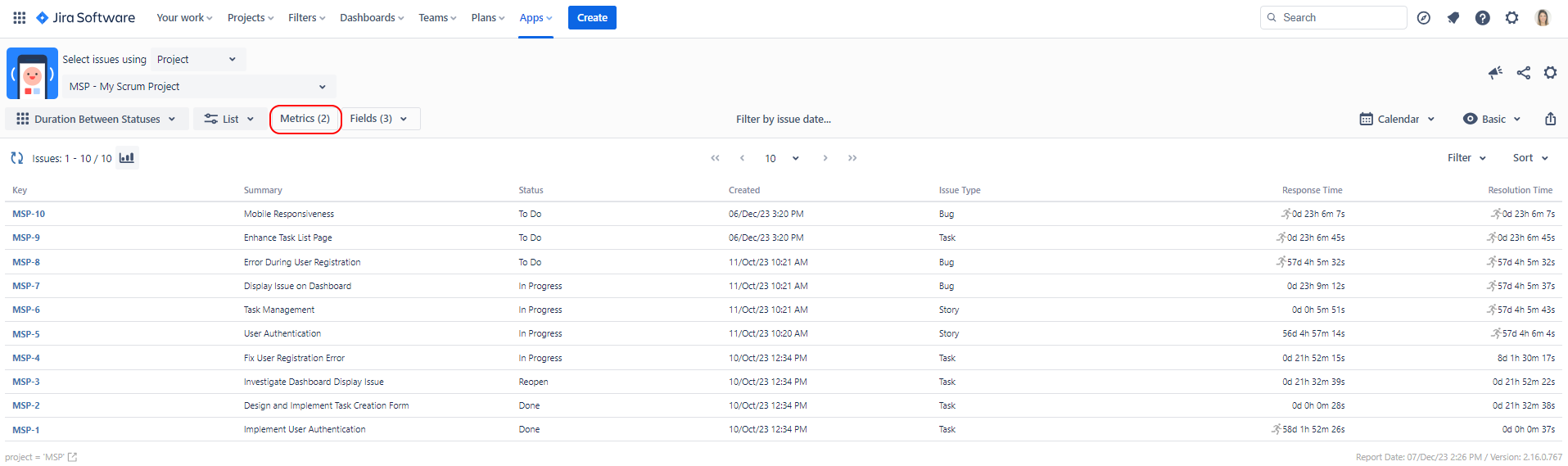
The Metrics button will be shown only when Duration Between Statuses report type is selected. This button opens a panel that allows you to define one or more metrics that will be used for Duration Between Statuses report.
Metric Definitions
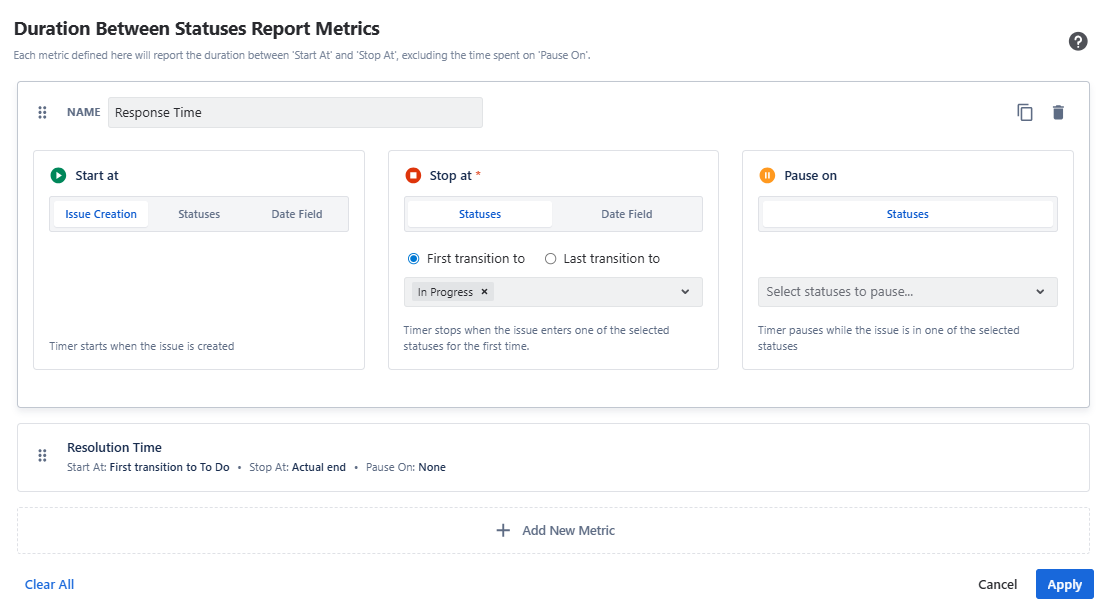
Each metric has a Name, and three status selections. The Name will be used as the column header for the metric.
The first selection is called Start At. It marks where the metric will start counting. The start point can be defined by selecting Issue Creation, one or more statuses, or a date field.
Selecting Issue Creation starts the metric from the issue creation date. Selecting statuses starts the metric when the issue enters the selected status or statuses. Selecting a date field starts the metric from the date specified in the selected date field.
The second selection is called Stop At. It marks where the metric will stop counting. You can select one or more statuses or a date field here. This field cannot be left empty.
Choosing statuses will stop the metric when the issue enters the selected status or statuses. Choosing a date field will consider the metric finished at the date specified in the selected field.
The third status selection is called Paused on. You can leave this one empty or select multiple statuses here. The metric will pause counting on these statuses.
If your workflow allows it, your issues might visit the same status more than once. For those cases, the From Status and To Status selections allow you to start the metric at the First or Last visit to a status. If an issue visits a status only once, selecting first or last won't make a difference.
Metrics in the Report
When these metrics are displayed in the report, there are four possible metric states:
-
Not Started: These are the metrics that haven’t reached the starting status yet. For these metrics, no values are displayed in the report.
-
Running: These are the metrics that reached the starting status but haven’t reached the stop status yet. For these metrics, a value is displayed in the report, and next to the value, a running man icon is displayed to indicate that the metric is still counting. For any running metrics, the time is measured up to the present moment.
-
Paused: These are the metrics that reached the starting status, haven’t reached the stop status yet, but are in one of the “pause” statuses. The metric hasn’t stopped, but also is not counting at the moment. For these metrics, a value is displayed in the report, and next to the value, a pause icon is displayed to indicate that the metric is paused.
-
Completed: These are the metrics that visited the starting status and then reached the stop status. For these metrics, a value is displayed in the report with no icons next to it.