Business need
Let's presume ...
You are using Jira for support operations.
You have multiple levels of support teams. If users in Level 1 cannot resolve an issue they escalate it to Level 2 and so on.
You need to see the duration issues spend on Level 1 and Level 2 teams.
Solution
The GROUP DURATION report type of Timepiece can be utilized for this purpose.
You should...
-
Create user groups named Level 1 and Level 2 on your Jira system.
-
Place users of support teams to the user group of appropriate level.
-
Open Timepiece reporting page.
-
Select the project in which the support issues reside (or set any other filter to get the issues to report on).
-
Switch to GROUP DURATION report.
-
Click on the Groups buttonSelect the groups Level 1 and Level 2. Click Apply.
-
Select your business calendar if you defined one.
-
Select the appropriate start and end dates.
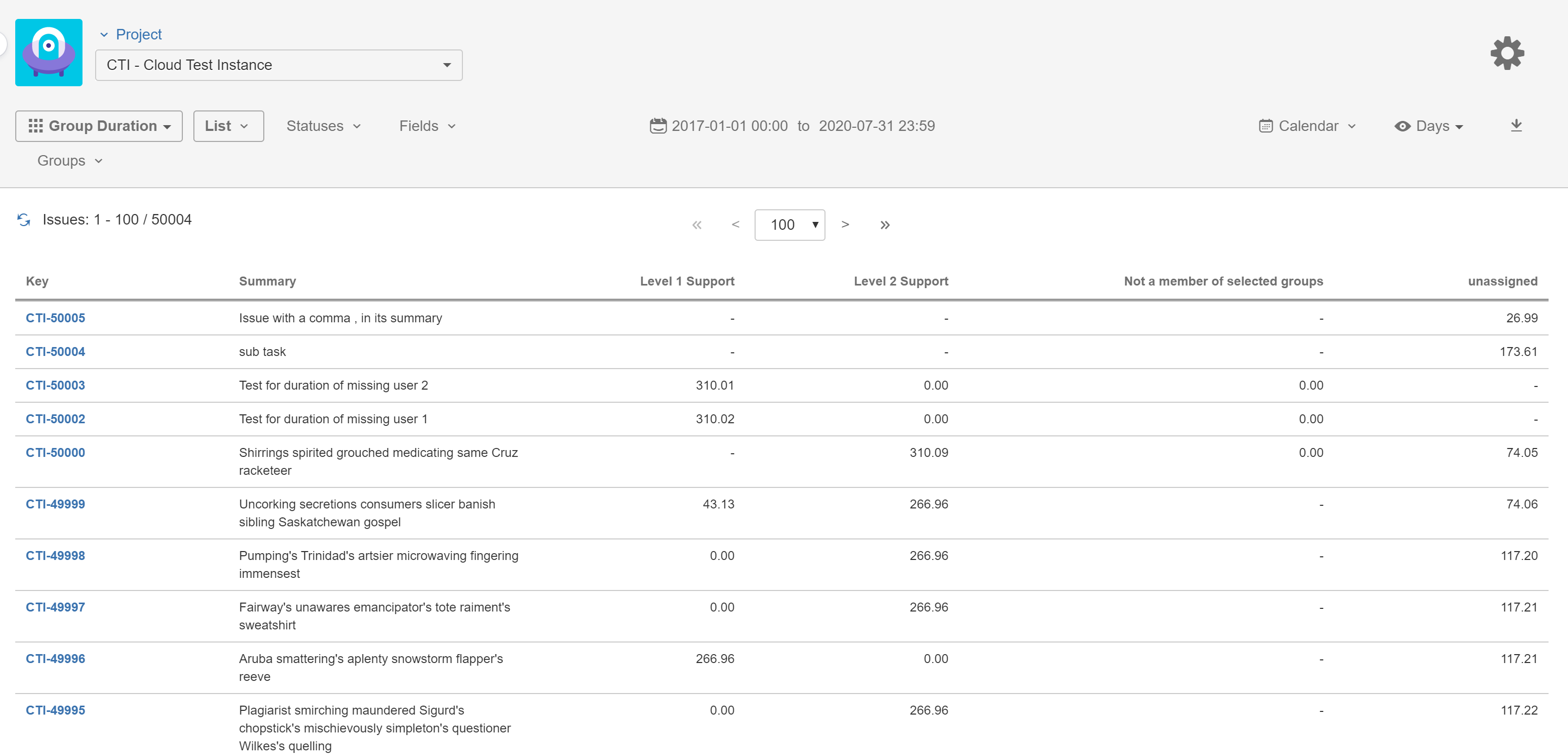
The report will show how much time each issue spent assigned to a member of Level 1 and Level 2 in separate columns.
The duration issues were assigned to a user not a member of any of the selected groups will be shown as a separate column and the duration issue were unassigned will also be shown as a separate column.
If seeing the Average or Sum of these durations are more suitable to your needs you should...
-
Click on the List button in the toobar.
-
Select Averages or Sum option.
-
Add any fields to the list if you want to group your issues.
-
Click Apply
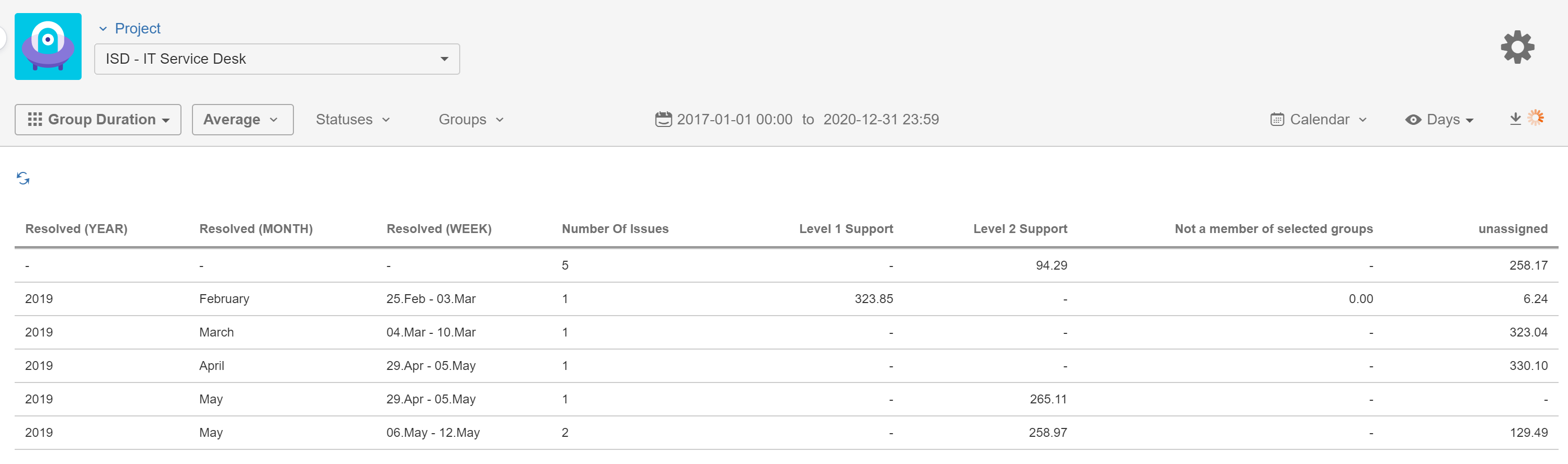
(In this screenshot, you can see an Averages report where issues are grouped by the Year, Month and Week parts of Resolution Date)